• Skip to main content
  • Skip to after header navigation
  • Skip to site footer
Knowledge Base

Knowledge Base

Practical help for digital teaching

Resources

  • Knowledge Base
  • Kick Start
  • Free Resources
  • AI in Education
  • Log In

15 August 2022

Everything Skills Articles Teaching Technology

*Screenshots may differ to what you see, depending on whether you have a PC or Mac.

How to Create a Stream Channel and Upload Videos

Learn how to create a stream channel and upload videos.

  1. Open Stream
  2. Click on the arrow next to Create
  3. Create a Channel for your recordings to be saved into
    • If you already have an existing channel skip the next step.
  1. Fill in the necessary details for your channel then select Create.
    Note: by selecting Companywide, every person at MIT will see the videos, including students.
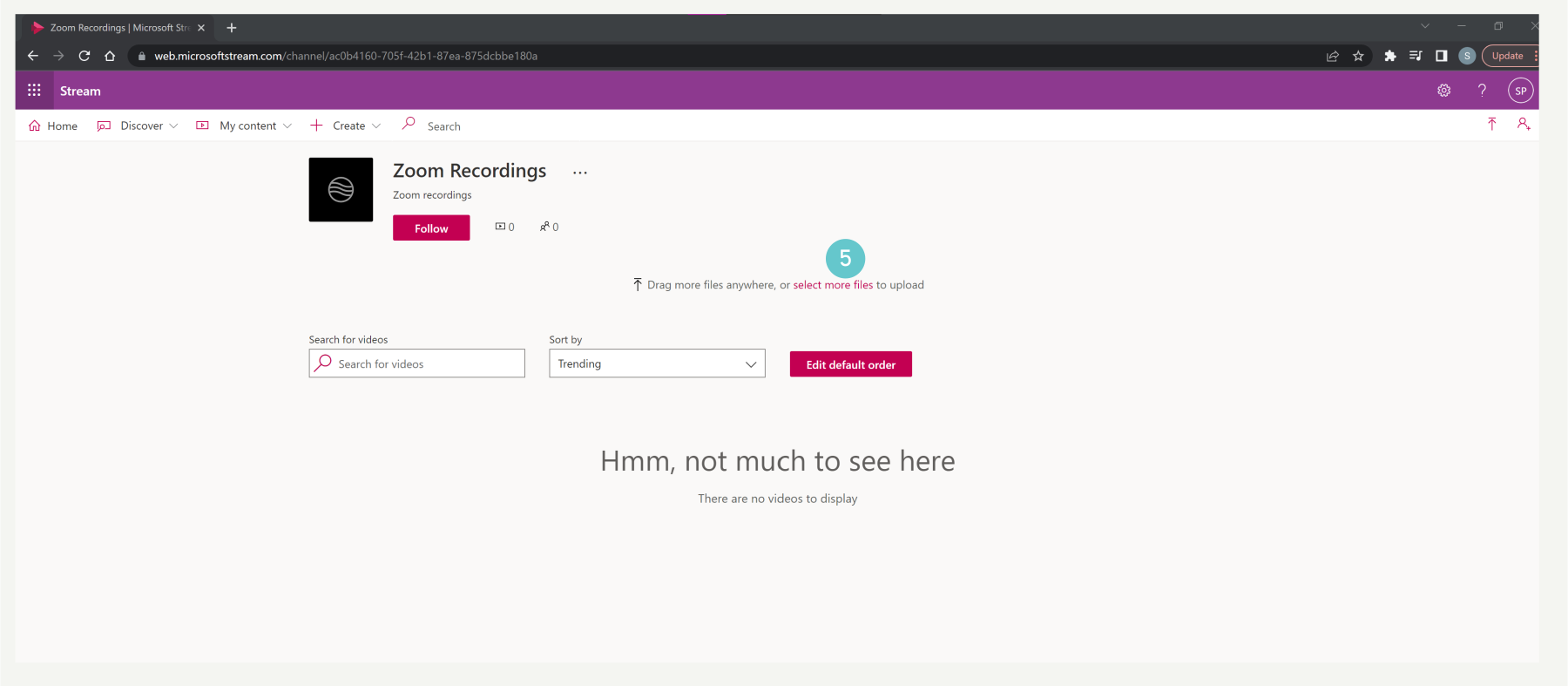
  1. To upload your recording either drag and drop the file into the channel or click on Select More Files.
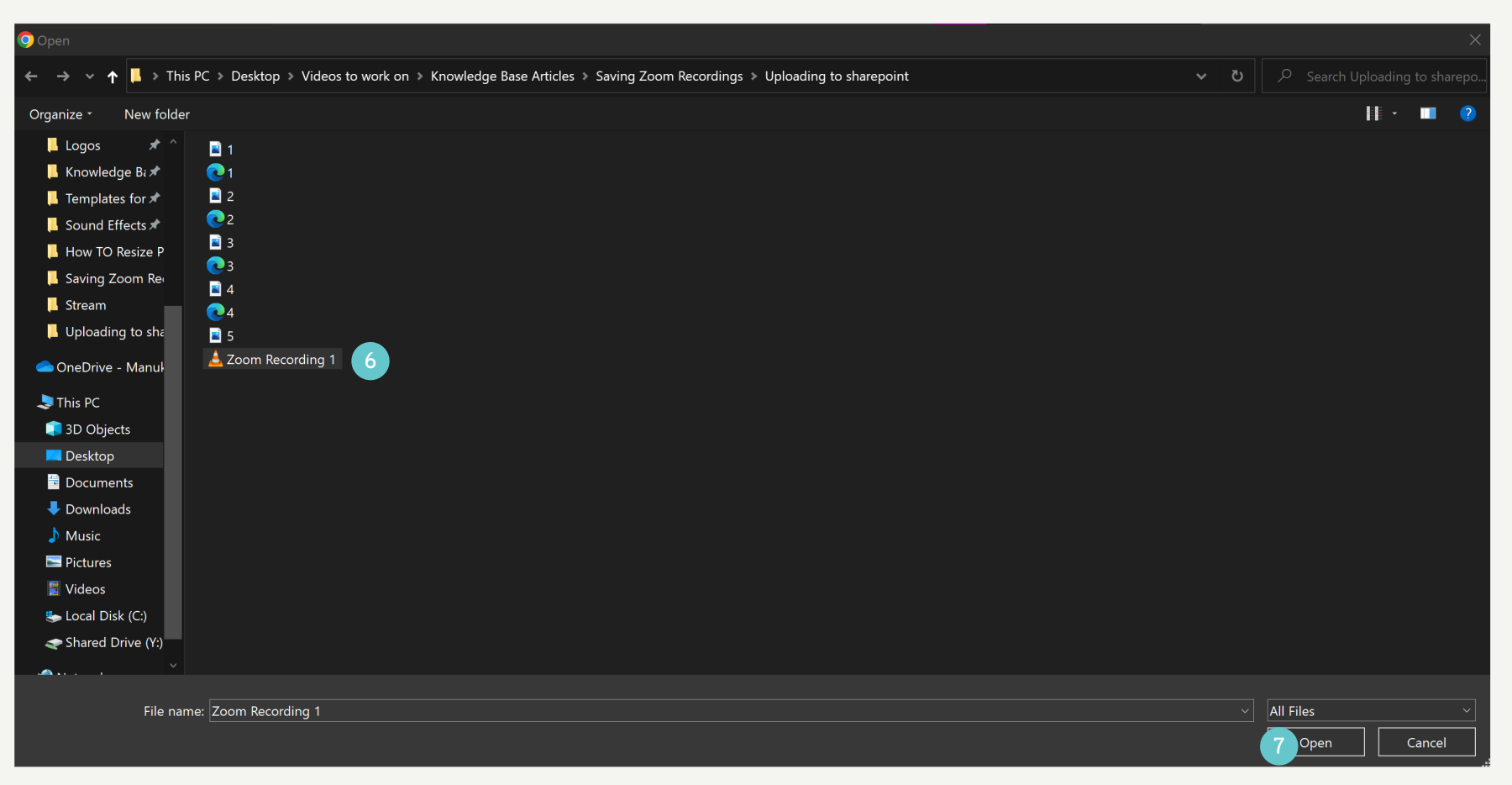
  1. Select the file(s) you want to upload
    Note: you can upload more than one file by holding down shift and selecting multiple files.
  2. Click Open
  1. Fill out the details, permissions, and options for the video, once it has uploaded click on Publish.

Please Note:

  • Recording can be done on desktop version, won’t work for mobile (because we use free subscription).
  • We can download videos with free accounts
  • Maximum file size that can be uploaded to SharePoint is 250GB
  • 40 minutes maximum recording

Sidebar

Knowledge Articles

Resource Categories

Signup to Mildly Interesting

Stay updated on the latest developments from our Academic Partners team, as well as insights from our Quality Team on updates and policies shaping the educational landscape. Don't miss out—sign up today to stay informed!

* indicates required
/* real people should not fill this in and expect good things - do not remove this or risk form bot signups */


Need More Help?

Copyright © 2026 · Manukau Institute of Technology · Crafted by Responsive

Your cart (items: 0)

Products in cart

Product Details Total
Subtotal $0
View my cart
Go to checkout

Your cart is currently empty!

Start shopping

Notifications