
• Skip to main content
  • Skip to after header navigation
  • Skip to site footer
Knowledge Base

Knowledge Base

Practical help for digital teaching

Resources

  • Knowledge Base
  • Kick Start
  • Free Resources
  • AI in Education
  • Log In

28 March 2024

Skills Articles Teaching Technology

*Screenshots may differ to what you see, depending on whether you have a PC or Mac.

How To Trim A Video

As Stream no longer supports editing a video this article will show you other options to edit your videos.

For PC users:

The Windows 10 Photos app includes a video editor that allows you to trim one or multiple parts of a video quiet easily. 

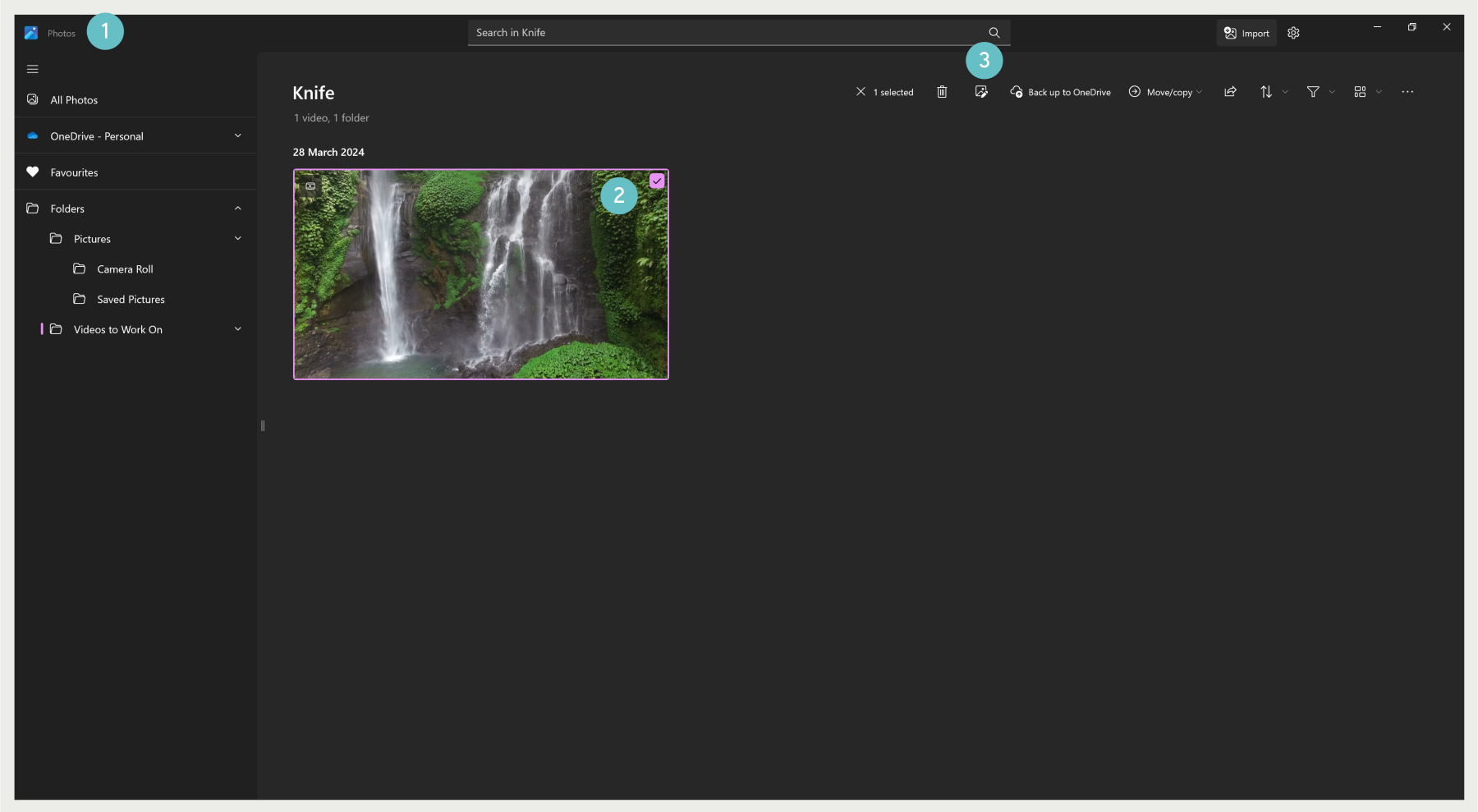
To trim a video using Photos on Windows 10: 

  1. Open Photos. 
  2. Click the video you want to edit. 
  3. Click the Edit  button, a new window will open.  
  1. Use the  right and left pins to select the part of the video you want to trim. 
  2. Use the  pin to scrub the footage to make sure you’re trimming the correct section. 
  3. Click the Save a copy button from the top-right corner. 

The Photos app will process the video, and you’ll end up with a trimmed version of the file with only the part you want to keep. However, the feature will not edit the original video instead, it’ll create a new file with the new footage and save it as a copy. 

External Apps: 

  1. Camtasia is a program that can be installed on both PC and Mac. It allows you to screen record and edit your videos. 
  2. Clipchamp is a free online tool that can be used to trim videos.

For Mac Users 

  1. By far the quickest and most convenient method to trimming videos is using Quicktime. This video player is built-in to all macOS devices and is the default video player for macs. 
  2. Mac users can also use iMovie. It comes pre-installed on macOS and if not can easily be downloaded from the App Store. 

Sidebar

Knowledge Articles

Resource Categories

Signup to Mildly Interesting

Stay updated on the latest developments from our Academic Partners team, as well as insights from our Quality Team on updates and policies shaping the educational landscape. Don't miss out—sign up today to stay informed!

* indicates required
/* real people should not fill this in and expect good things - do not remove this or risk form bot signups */


Need More Help?

Copyright © 2026 · Manukau Institute of Technology · Crafted by Responsive

Your cart (items: 0)

Products in cart

Product Details Total
Subtotal $0
View my cart
Go to checkout

Your cart is currently empty!

Start shopping

Notifications