

This is a step-by-step guide on how to fill your post moderation report.
Before you begin, take note of the moderation process at MIT.
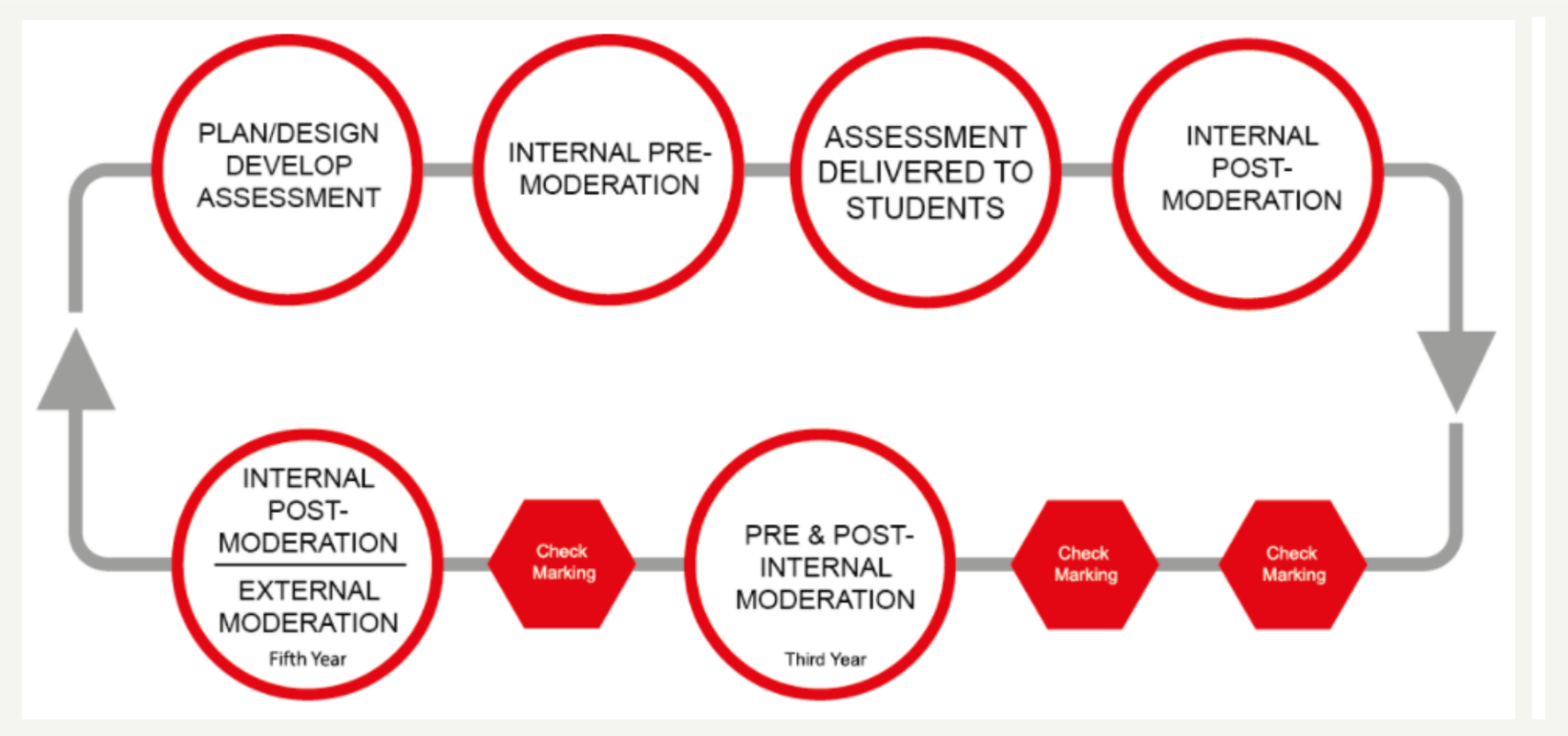
Have the assessment pack ready to send to the moderator as soon as possible. There are several items as the moderator you need from the assessment writer for internal post-moderation. These are:
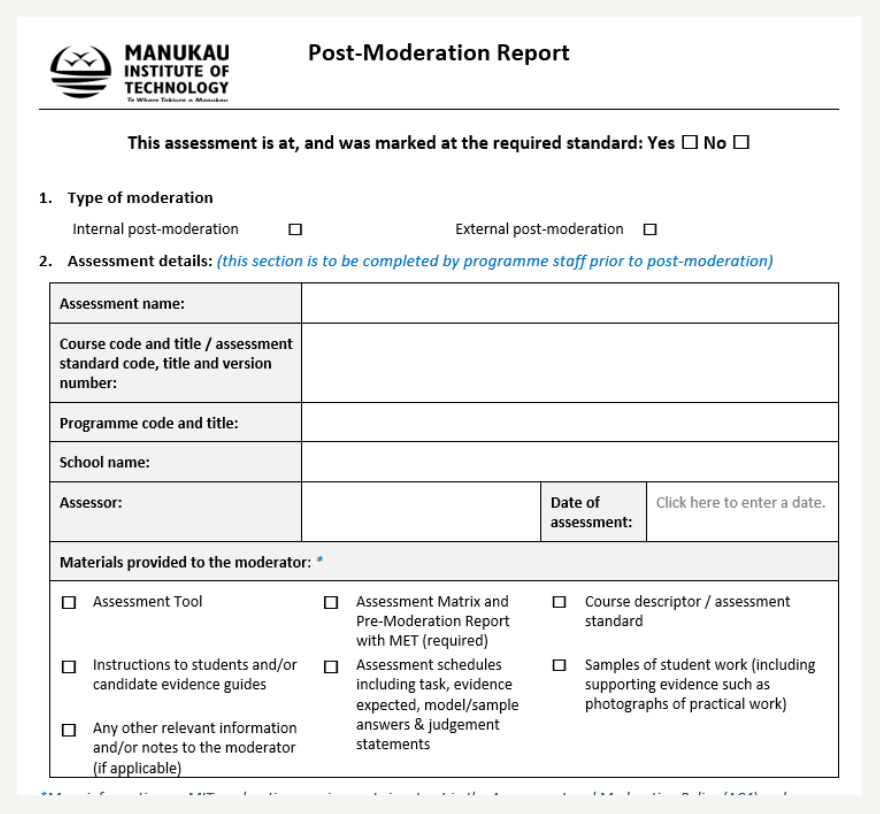
- completed pre-moderation report
- assessment task
- assessment matrix
- course descriptor
- instructions to students, including any resources provided with the assessment activity or task
- assessment schedules including evidence and judgement statements (e.g. model answers)
- samples of assessed student work as determined by the moderator
Make sure these items are available to you from the assessment writer before you begin moderating.
- The assessment writer will have completed the following sections:
- 1.Type of Moderation
- 2.Assessment Details
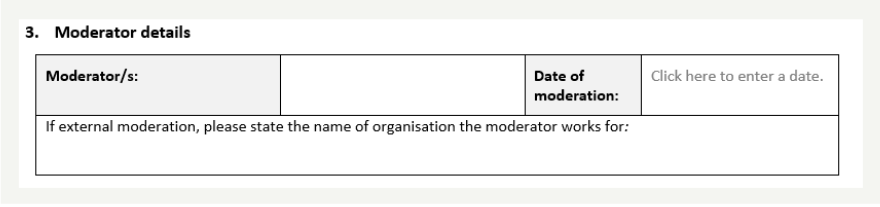
- Fill in your details in the section 3.Moderator’s Details
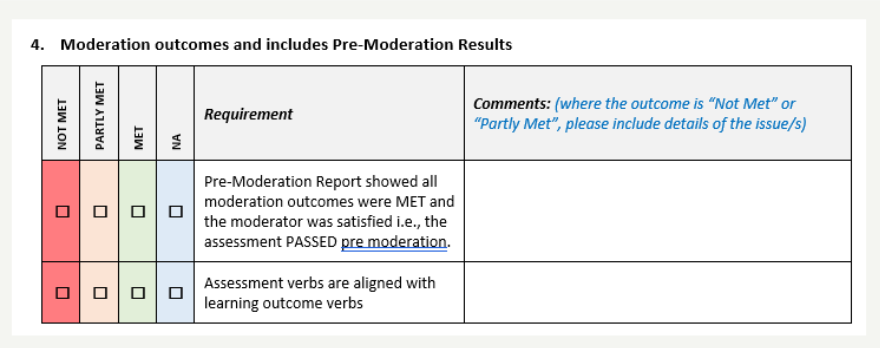
- Fill out the section 4.Moderation outcomes and include any pre-moderation results.
- There are four options to choose from. Read the assessment task and tick the correct box. Here’s a look at an example to help you.
- Requirement – Assessment verbs are aligned with learning outcome (LO) verbs
- Not Met – None of the assessment verbs met the LO verbs. For instant, the LO states ‘explain the concept’ and the assessment states ‘identify the concept’. Clearly the two are not the same. In this case the Assessment verb has not met the LO verb.
- Partly Met – if the part of the LO is met in the assessment. For instance, LO – Identify and explain the law of gravity. The assessment requires – Explain the law of gravity. In this case, only the ‘explain’ is met but not the identify part of the LO.
- MET – If the whole LO is assessed, then the assessment has met the LO verb. For example, the LO states – Identify and explain the law of gravity and the assessment states – Identify and explain the law of gravity.
- NA – if the assessment was assessing unit standards and not learning outcomes.
- Comments – if the requirement is Not Met or Partly Met – write a comment here explaining why the assessment task is has not met or partly met the LO.
Student samples
- Select 3-5 students marked assessments to go through, and complete the table
- There are three areas to fill here; overall mark, deciding on how marks were awarded and feedback provided to the students. Read the samples, decide if the assessment writer’s decision on all three are validated.
- Is the overall mark or judgement made against the learning outcomes or standard appropriate? – were the correct marks given correct based on the learning outcomes.
- Does the overall decision made by the assessor follow the criteria in the assessment schedule in assignment marks / grades? – was the right call made using the marking criteria / rubrics/ model answers.
- Is sufficient constructive feedback given to students to justify (validate?) marks/grades/judgments? – has the assessment writer provided helpful feedback to students.
- Note: use a calculator to add the marks if you need to.
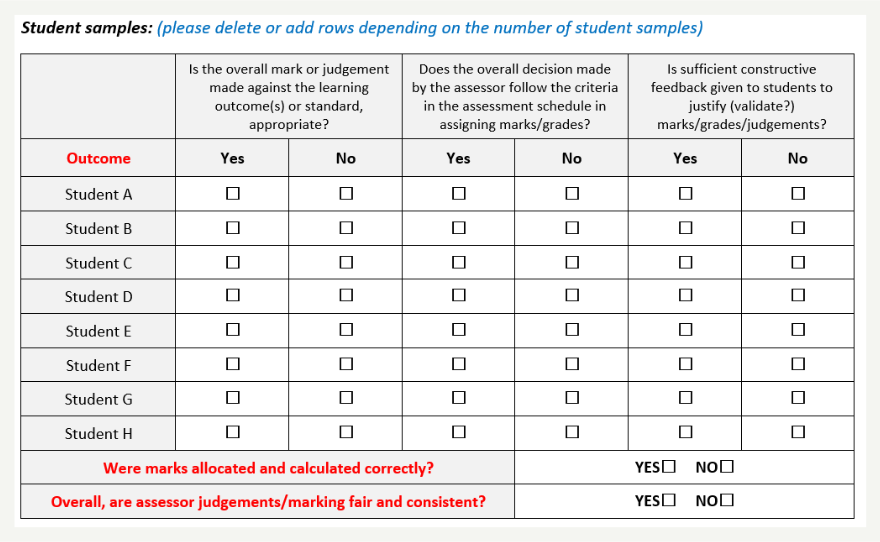
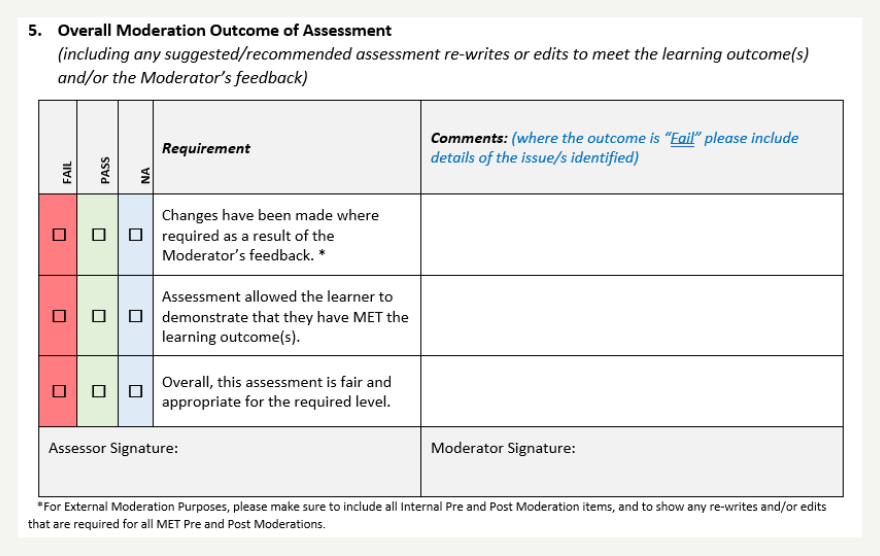
- Use the same explanation as above to help you fill out this part. The explanations are the same.
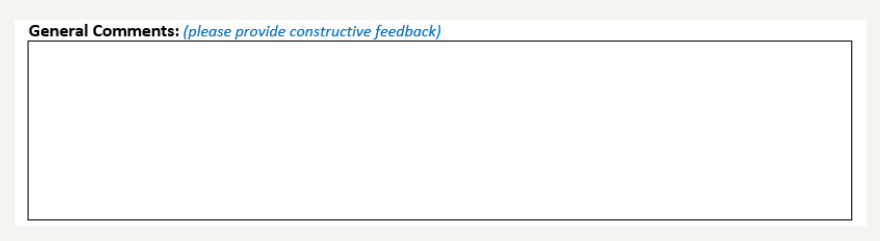
- General Comments: Write anything else you want to highlight to the assessment writer. For example, comment on the grammar, spelling errors. Keep this general but also effective for the assessment writer.
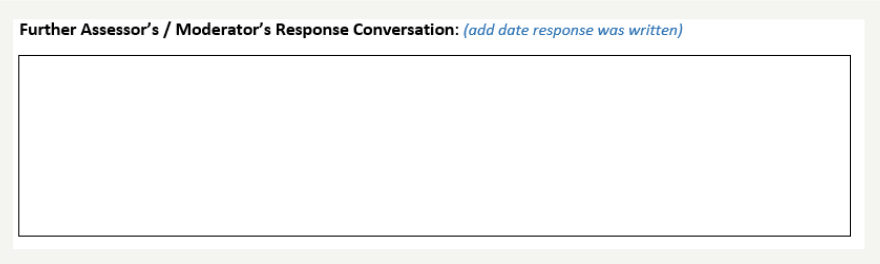
- Give the assessment writer an opportunity to comment on your feedback and to explain anything that played a role in their decision when they were marking the papers.
Hints and Tips
- Provide constructive feedback to help the assessor improve their assessment next time.
- It is highly recommended that you pre and post moderate the assessment for consistency.
- For help with moderation, see https://mitnet.manukau.ac.nz/policies-and-statutes/policy-statutes-index
- Provide constructive feedback and assist in creating a fair, valid, consistent assessment, at the correct level, that is fit for purpose
- Read the Assessment and Moderation Policy (AC4) and Moderation Procedure (AC4/3)
- Contact your ALQ for additional guidance and support
- Contact the Academic partners if you need help at academicpartner@manukau.ac.nz