
You can update the due dates and availability dates for many assignments at the same time using the Edit Assignment Dates tool. This helps when course dates change or when you copy a course to a new semester.
Note: You can only shift dates forward, not backward. If dates move too far, you must edit them manually.
- Open your course in Canvas.
- In the Course Navigation menu, click Assignments.
- On the Assignments page, click the Options (three dots) icon.
- Select Edit Assignment Dates from the menu.

The Edit Assignment Dates page shows all graded items in the course, including:
- Assignments
- Discussions
- Quizzes
You can see and edit:
- Due dates
- Available Until dates
- Available From dates

You may also see different dates for specific students, sections, or groups.
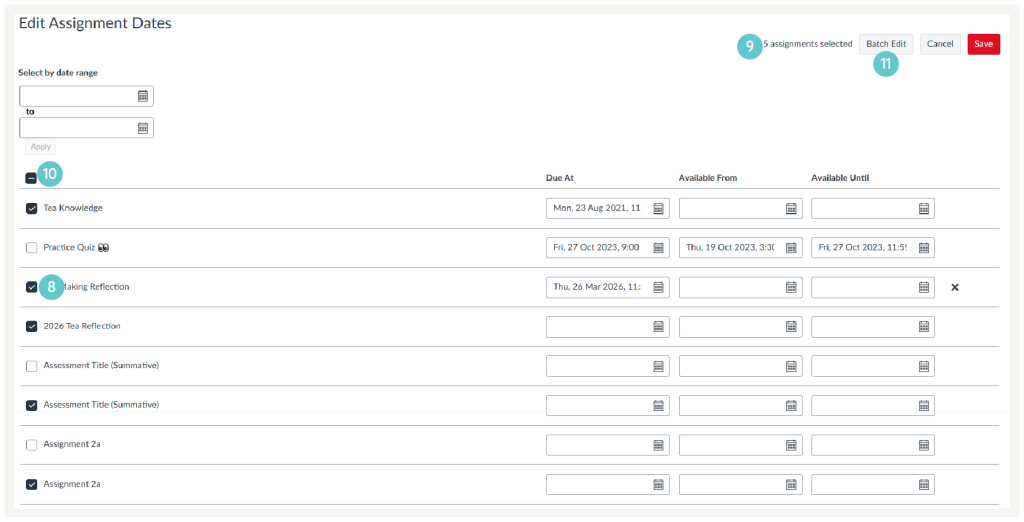
- Tick the checkbox beside each assignment you want to edit.
- The number of selected assignments appears in the header.
- To select all assignments, tick the Select All checkbox at the top.
- Click Batch Edit
Choose how you want to update the dates. You can either:
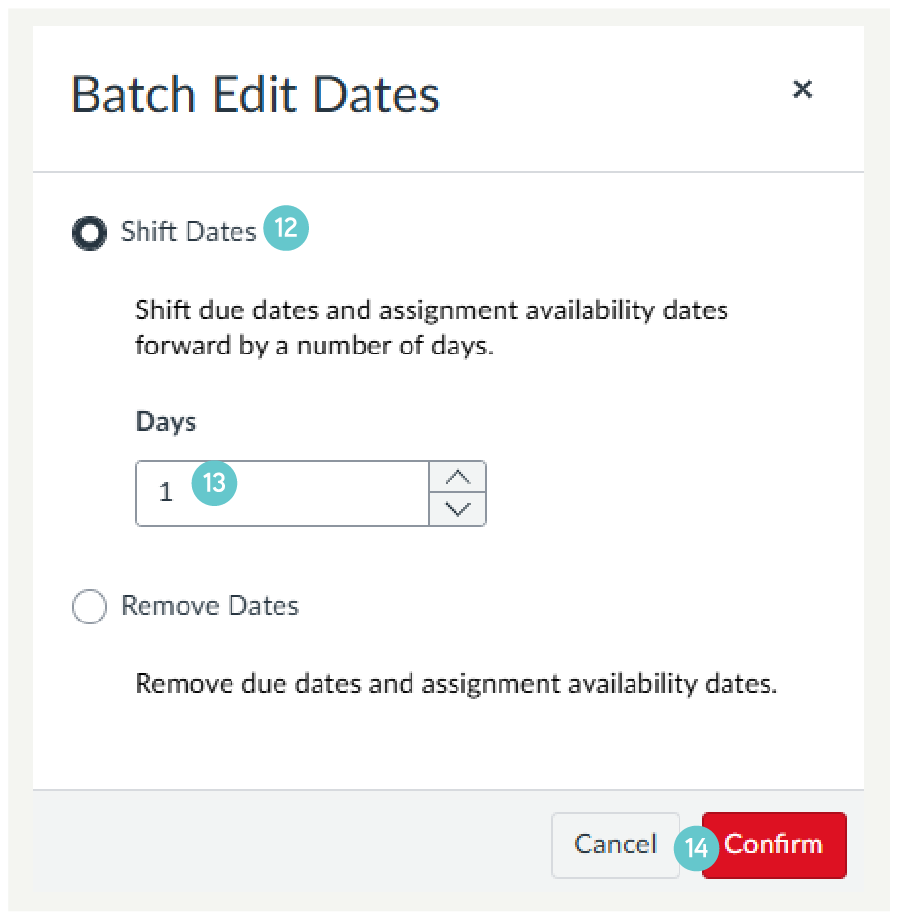
Shift dates forward:
- Select Shift Dates.
- Enter the number of days to move the dates forward.
- Click Confirm
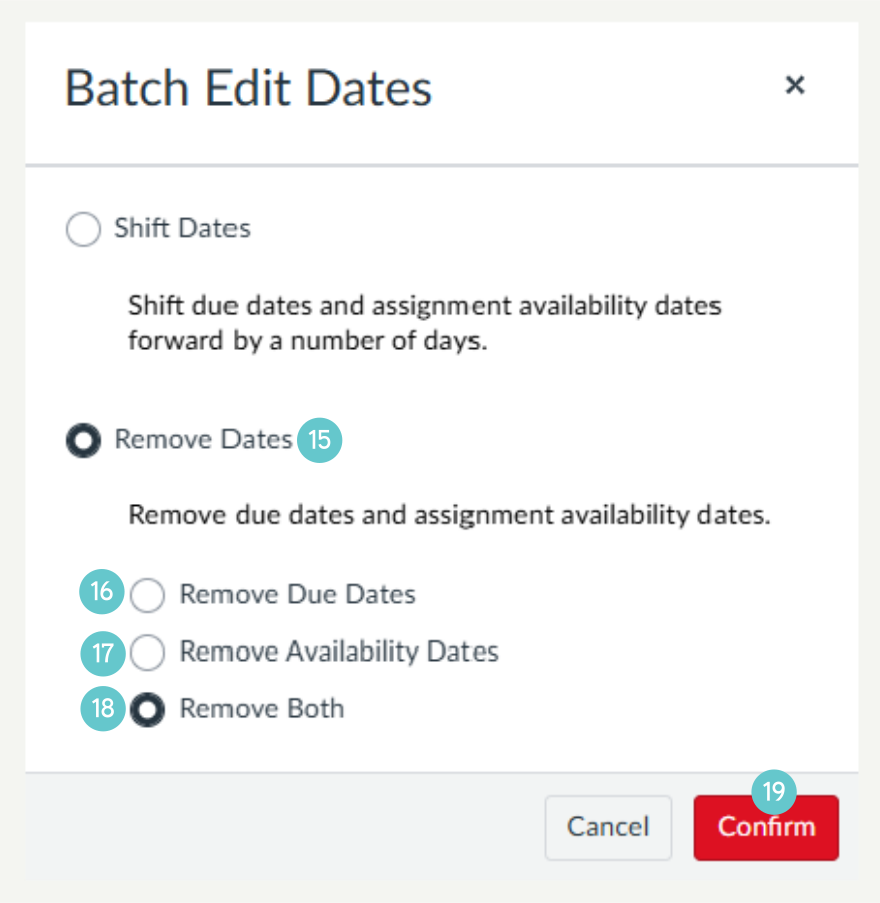
Remove dates:
- Select Remove Dates.
- Choose whether to remove:
- Due dates
- Availability dates
- Or both.
- Then click confirm
- Choose whether to remove:
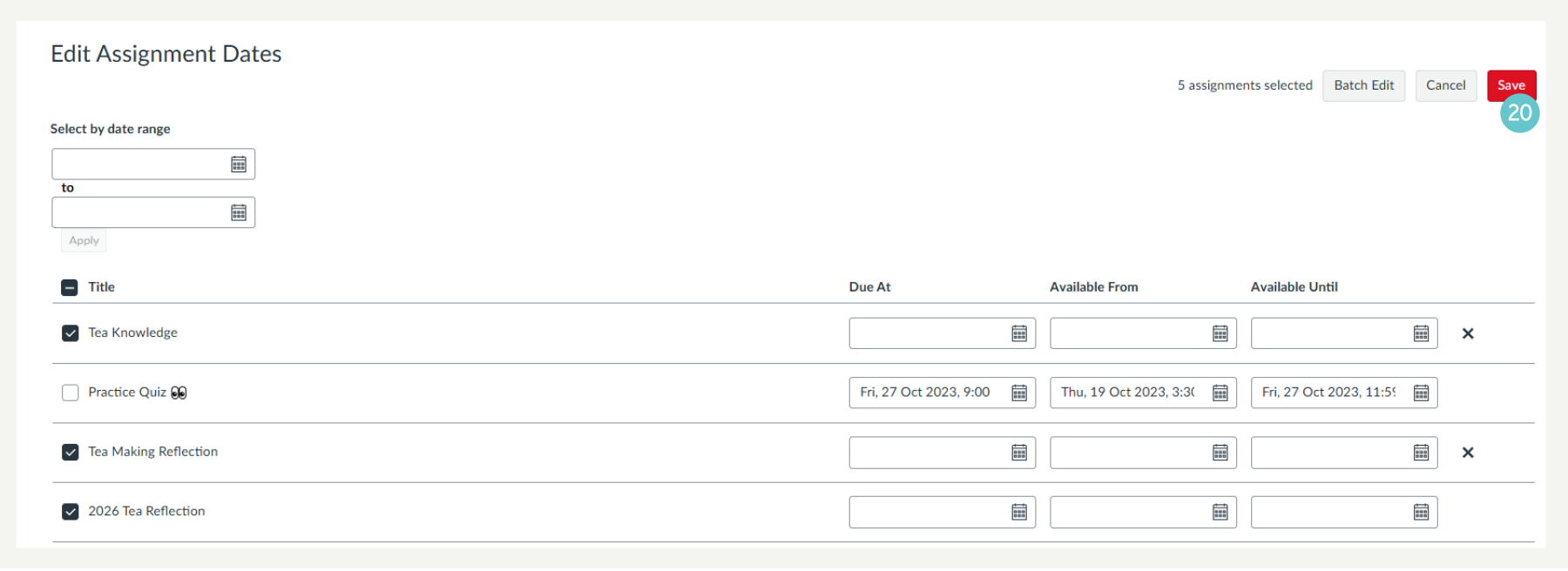
- Click Save.
Hints and Tips
- If a date does not include a time, Canvas uses the course’s default due time.
- Check dates carefully before saving to avoid mistakes.