This update streamlines lecturers workflow and improves the ability to differentiate instruction of assignments and discussions.
In Assignments and Discussions, an Assign To button is available. In Assignments, Discussions and Quizzes, the Assign To user interface is redesigned in a tray. Additionally, student IDs are displayed alongside student names when available.
Note: This update is not available in classic discussions.
When viewing an assignment or graded discussion, lecturers can use the Assign To (1) button to quickly manage due dates and availability dates.

When editing an assignment, discussion or quiz, click the Manage Assign To (2) link.

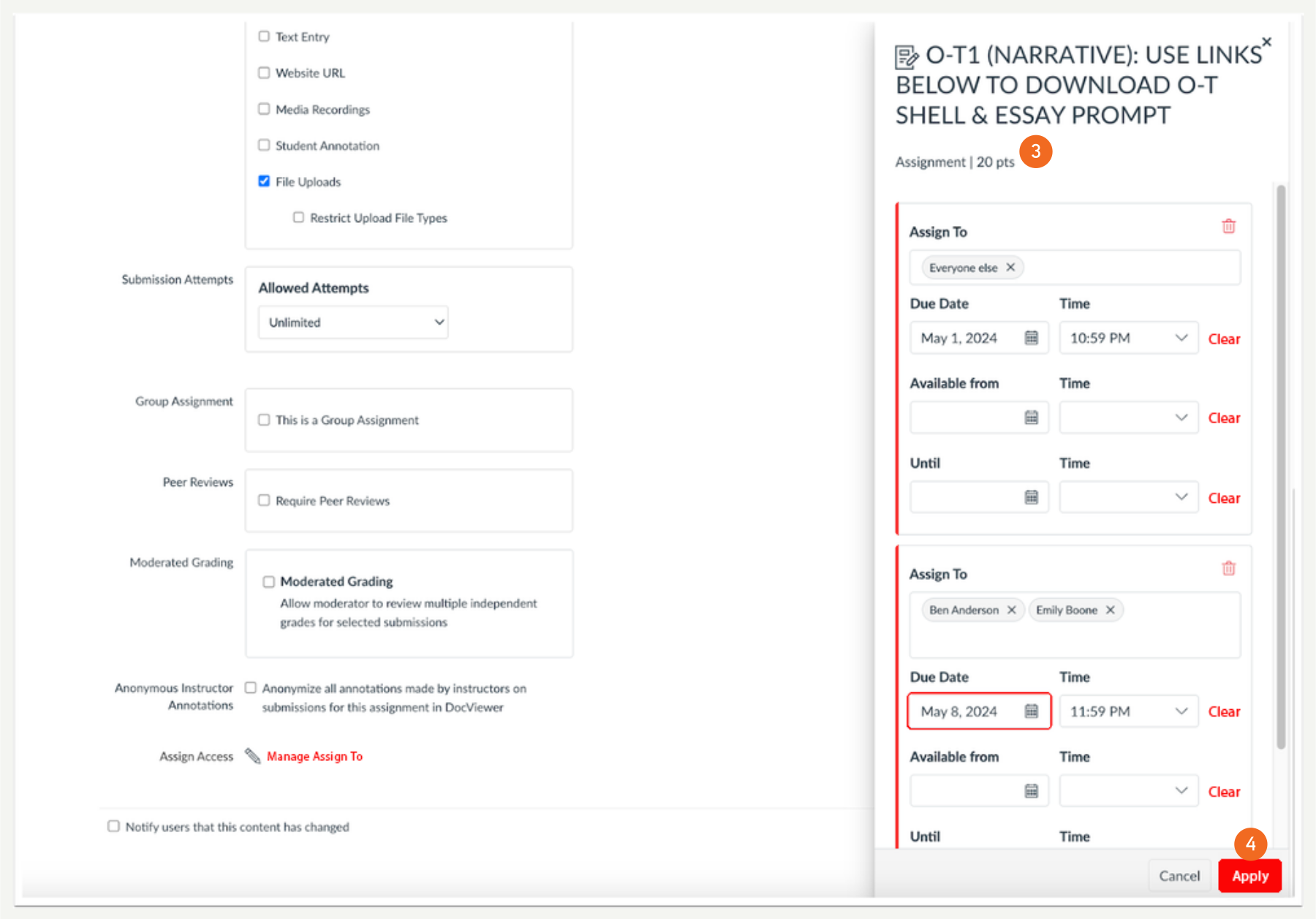
Lecturers can differentiate assignments, graded discussions and quizzes as well as manage due dates and availability dates in the redesigned tray (3). Then, click the Apply (4) button.
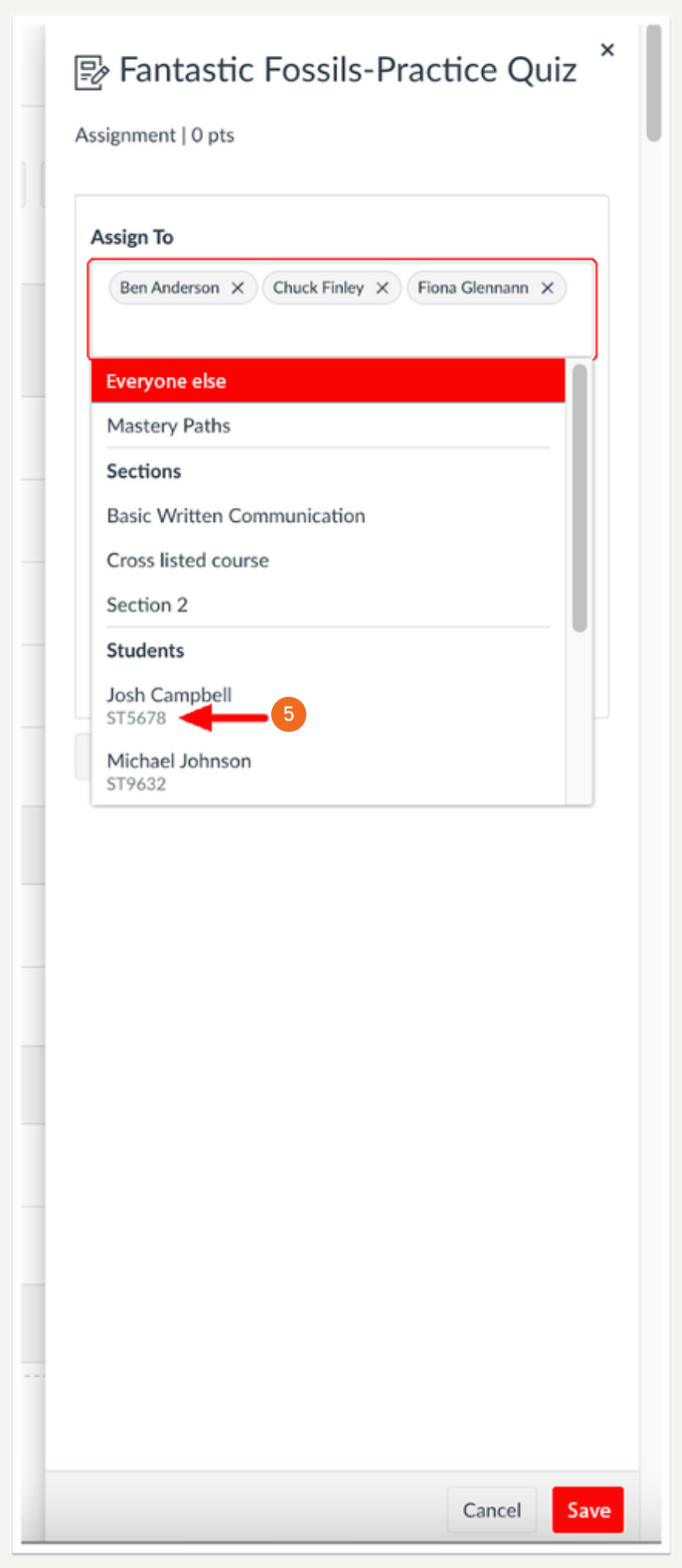
Additionally, student IDs (5) display when available in the Assign To tray.
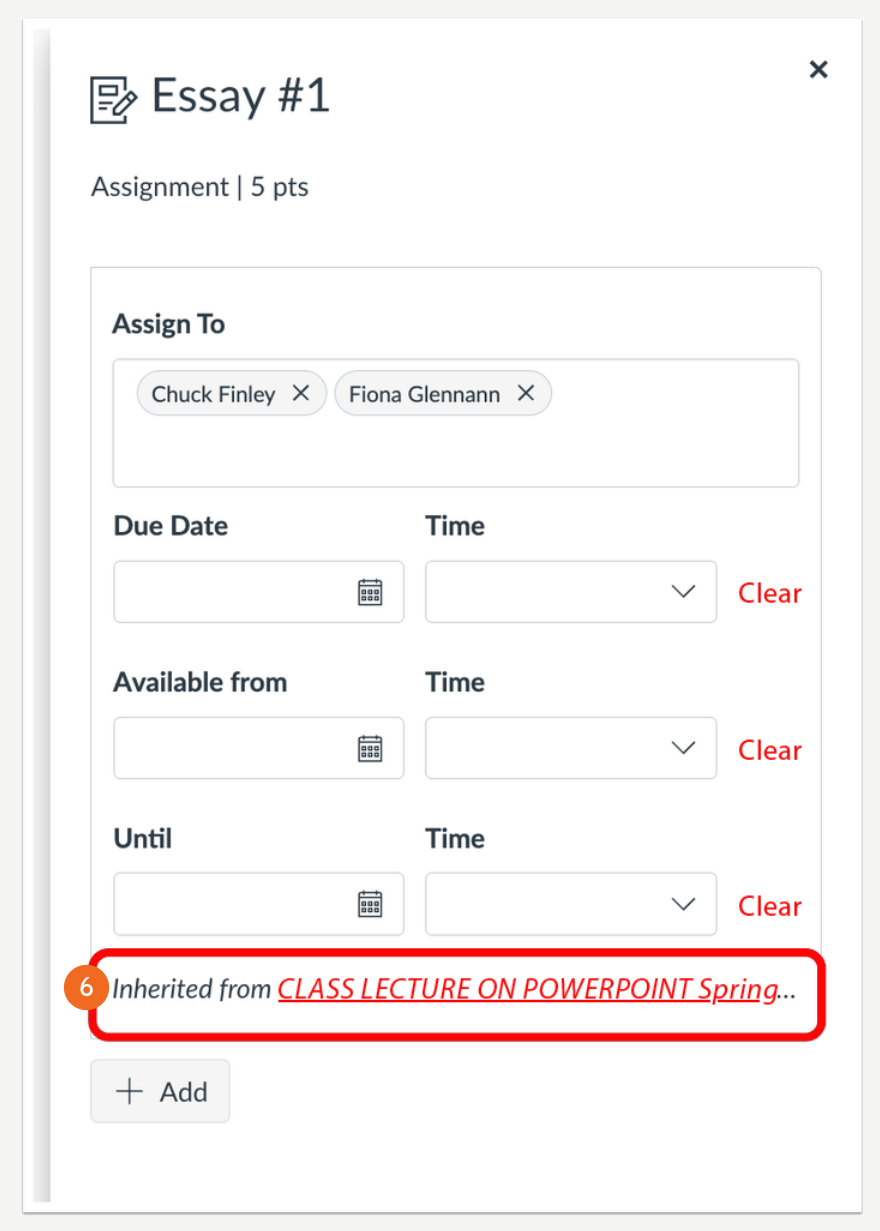
When editing in the Assign To tray of an assignment, inherited assignments display if it is available (6).
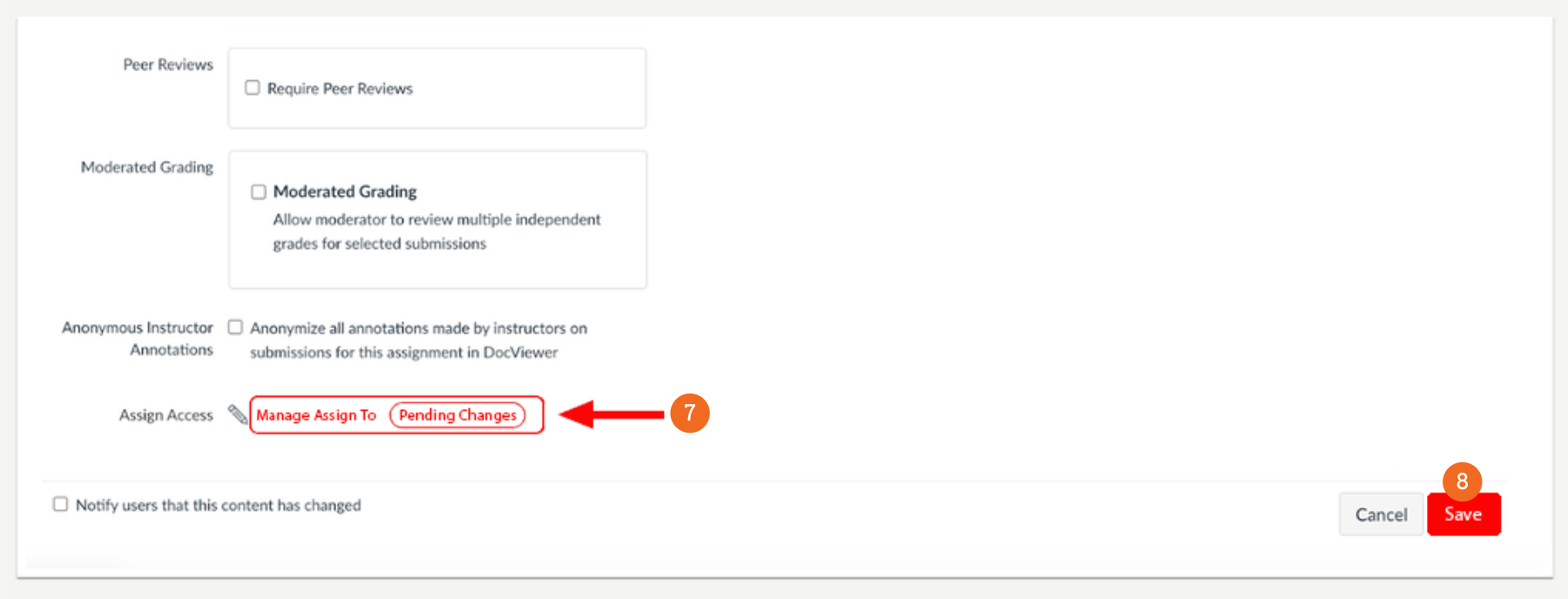
After applying changes and closing the tray, an icon displays stating that changes are not yet saved (7). To save changes, click the Save button (8).