

This Canvas Knowledge Base article is a helpful guide on how to complete MIT’s Check Marking Report Template
Why Check-marking?
- ensure your marking of the student’s work is consistent and fair
- focus on checking the marking and not the assessment tool
- assure that the quality of your assessment and marking follow best practices
- occur when you are not conducting internal-post moderation then you are check-marking.
When should you conduct your check marking?
Every second and fourth year of the moderation cycle as illustrated below.

How to access and download our MIT Internal Pre-Moderation Report template
- Go to MITNet>Academic Centre> Moderation
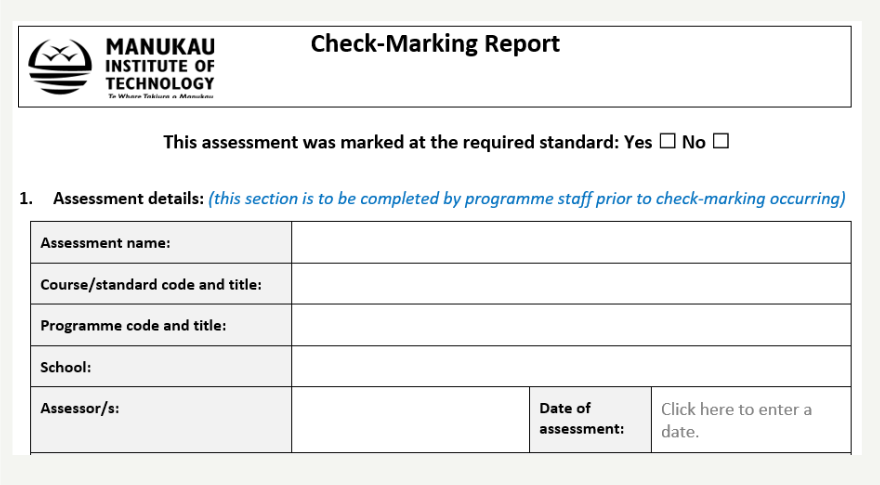
- Scroll to Documents > download Check mark report template (see image below)

How to complete MIT’s Check Marking Report template
Here is a step by step guide on how to fill out your check marking report.
Section 1
This will be filled out by the assessment writer:
- Assessment name
- Course/standard code and tittle
- Programme code and tittle
- School
- Assessor/s
- Date of the assessment
Section 2
Fill out your details here:
- Check-marker/s
- Date of check-marking

Requirements and Materials to provide to the Moderator
The following items are required by you for check marking. Make sure you have all these before you begin.
- A blank assessment tool/schedule i.e., the assessment itself
- Instructions to students
- Assessment model answer and/or judgement statement
- Samples of student work (including supporting evidence e.g., photos, videos, poster, etc.)
- Minimum 3 samples (and outliers may be included)
- Achievement-based assessments will require high, middle and low
- Competency-based assessments (i.e., unit standard assessments) will require (preferably) all achieved/competent
- Any other relevant information and/or Notes to the moderator (if applicable)

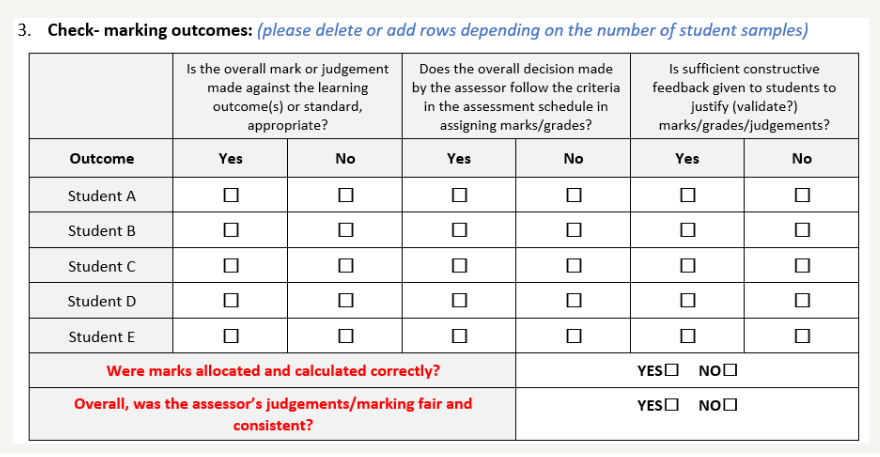
Completing Section 3 Check-Marking Outcomes
Section 3
To complete this section, consider the following;
- Is the overall mark or judgement fair and meets the learning outcome(s) or standard (if unit standard assessment)
- Is the overall decision made meets the criteria in the assessment schedule/model answer or judgement statement and in assigning marks/grades
- Are there enough constructive feedback given to students to justify the marking.
- Are the marks allocated and calculated correctly.
- Overall, are the decisions fair and justified.
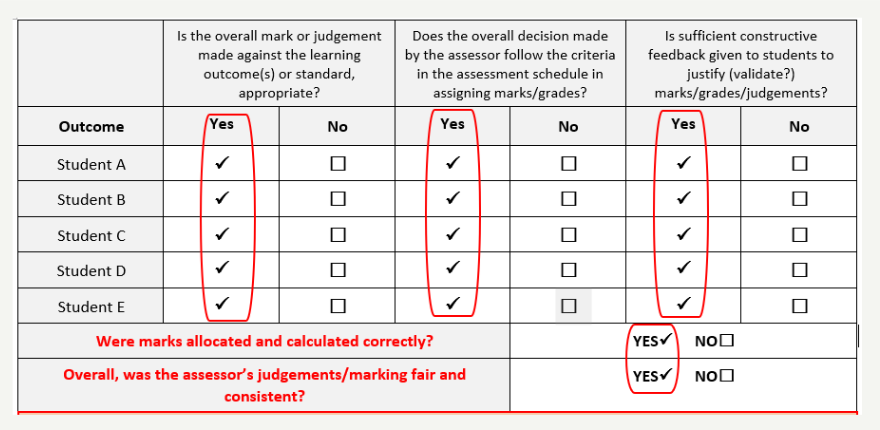
To PASS check marking, ALL categories must be ticked Yes. (see image below)
Any ticks No and any issues with the marking of students’ work will result in a FAILED Check Marking.
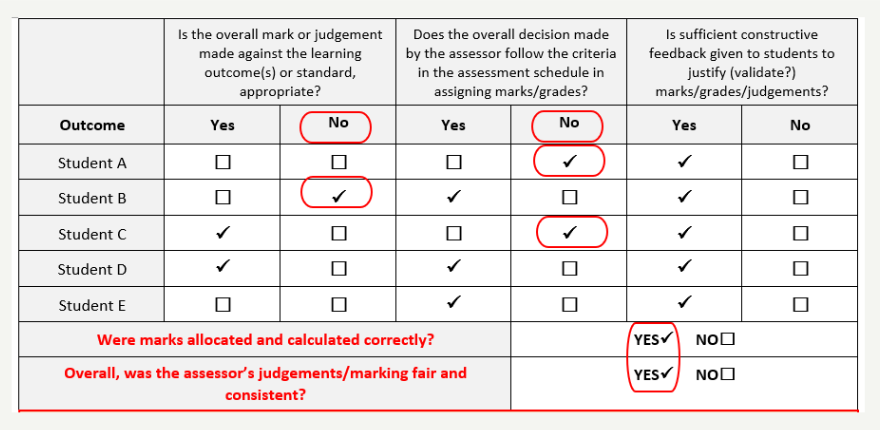
Some boxes are ticked ‘No’ – what next?
- Discuss your findings with the assessment writer, tell them where you think the decision did not meet the criteria. Allow them to fix the problem before you have a second look.
- Once you are both happy with the decisions and outcomes, sign it off and table it at the next PC for approval or amendments.
- If you still disagree, the Head of School can determine the outcome
For Unit Standard Assessment(s)
For Achievement-based assessments, this section is not required.
For Competency-based/unit standard assessments, complete this section and confirm that the version of the unit assessed is the same as the version of the unit standard in the SMS:
- Check the unit standard number and version number as printed on the assessment
- Check the unit standard number and version number is the same in the SMS
- If you need to fix something, do it and tick ‘Yes’

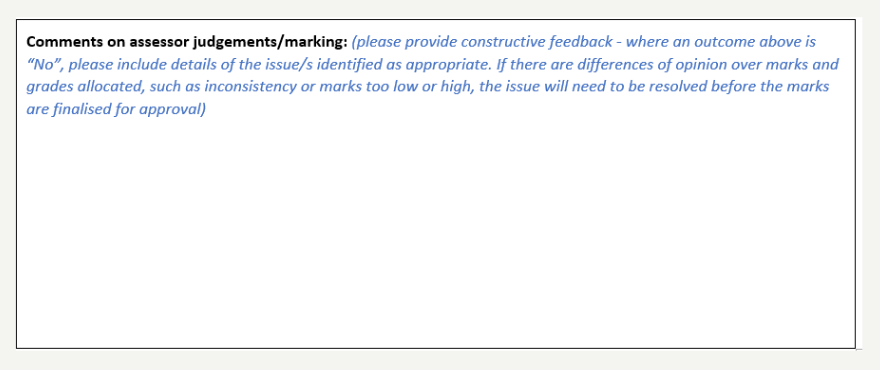
Lastly, under General Comments section, provide any feedback to help the assessment writer improve going forward. (see image below).
Hints and Tips
- Make sure all boxes are ticked ‘MET’, ‘PASS’ or ‘Yes’
- Provide constructive feedback to assist in creating a fair, valid, consistent, and at the correct level assessment
- For more details regarding the moderation procedures at MIT, please see Assessment and Moderation Policy (AC4) and Moderation Procedure (AC4/3)
- It is best to open the moderation form in the word app rather than online. This will allow you to use the auto-fill features such as adding ticks to boxes.
- For complete MIT moderation details, please access the AC’s moderation page via MITnet