
Announcements are the most effective way to broadcast important information, updates, or reminders to all students of your course. This guide shows you how to write your message and schedule it for a future date.
- Go to the Announcements page
- Click the +Announcement button.

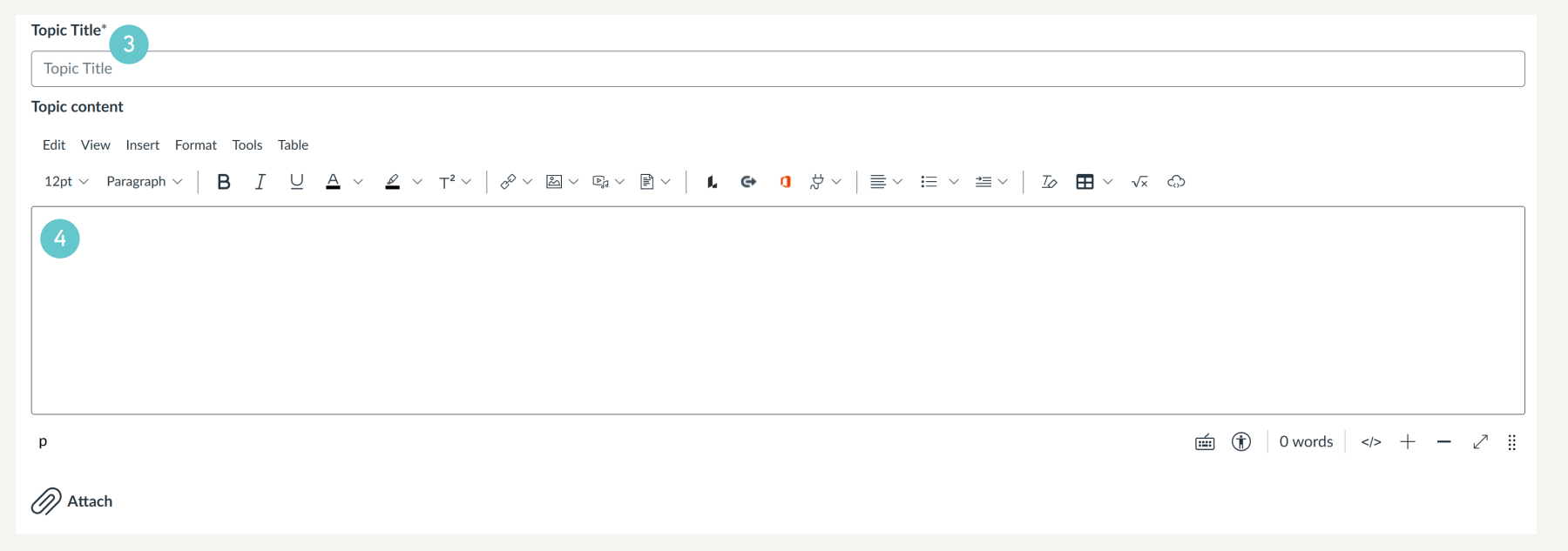
- Enter a clear announcement title
- Write your full message in the Rich Content Editor.
- You can Publish immediately and students will receive a notification in their designated mailbox. To plan future post, go to the next step.
- Scroll down to Options. Use the Available from settings to select the specific date and time you want the Announcement to be published and sent to students.

- Click Save at the bottom of the page. The announcement will be held until the scheduled date/time, then it will automatically publish.

Hints and Tips
- Use the Available from feature to set reminders for assignments or class sessions well in advance. This is key for student time management.
- Announce one core idea per message. Students are more likely to read short, direct updates.
- Be cautious about allowing users to comment, as this may lead to unnecessary email notifications for the whole class.