

This Skills article will show lecturers the different ways to email students in Canvas
Canvas users have a number of ways they can email students in the Canvas interface. Users can email individuals via People and multiple people via Analytics.
Using People to email individuals
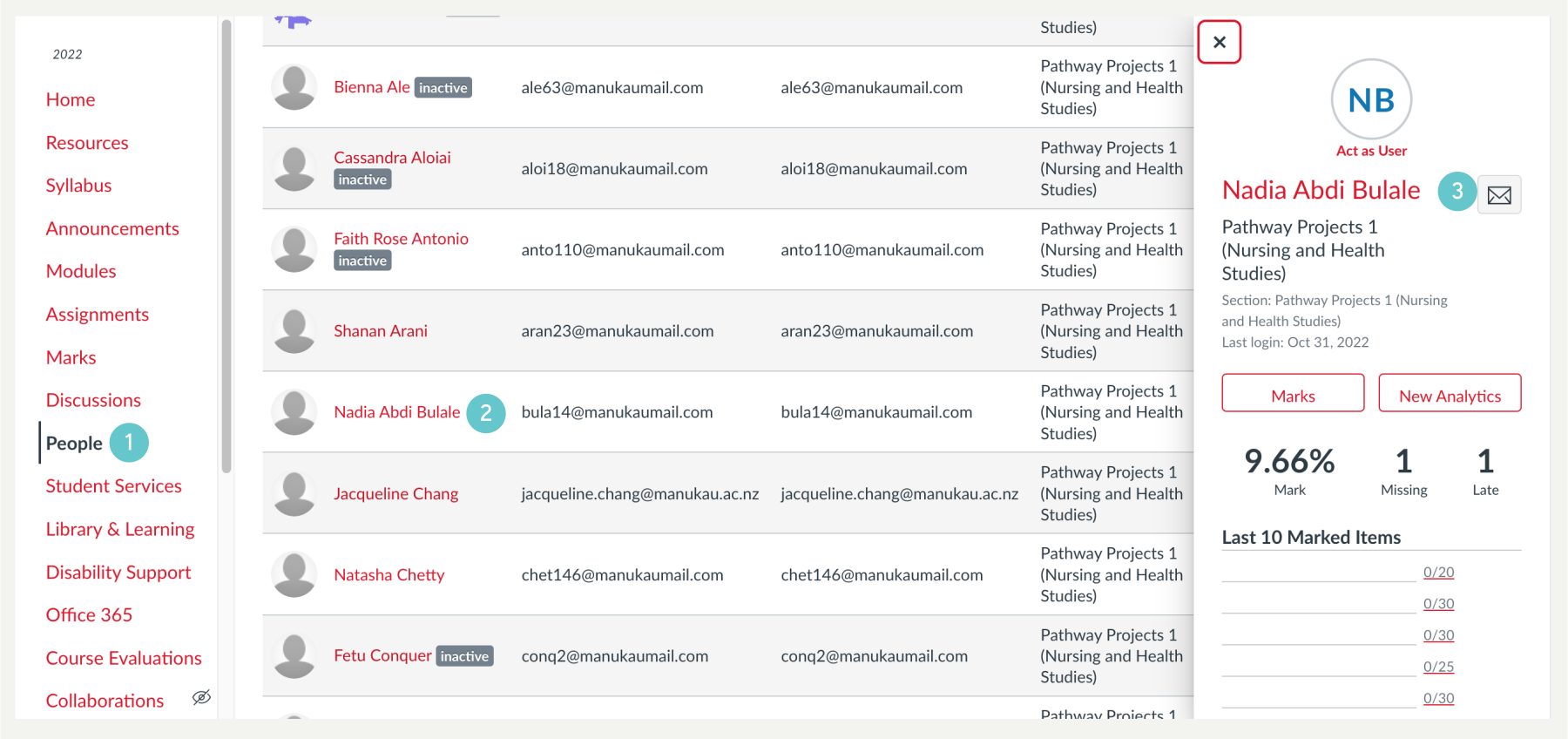
- Select People from the lefthand Menu.
- Find and select the person you wish to email, and Click on their name.
- Click on the envelope icon to initiate writing your email to the student.
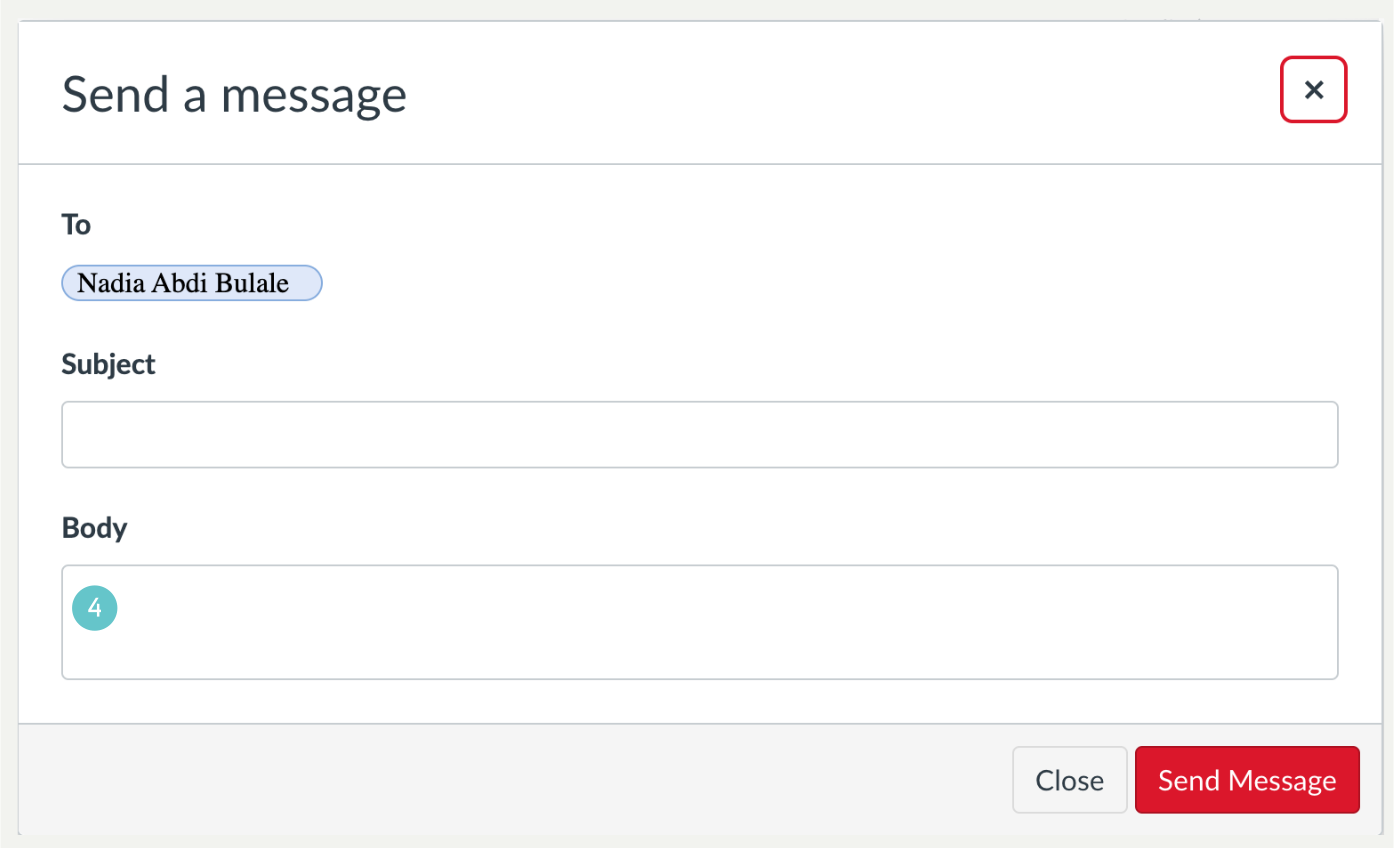
- Write your email
- In the same box you can also select Click on Analytics, this will take you through to the students’ Course Grades, Weekly Online Activity and Communication.

- At the top by the student name is an envelope icon, which you may click.

- Write your email

Using Analytics to Send Emails to Multiple Students
- On the righthand side of the Canvas Window, Click on New Analytics.

- In this window, you will see an envelope icon which you can click on.

- The window below opens and you then select the type of message you want to sent to a group of people.
