New Quizzes is the updated assessment tool in Canvas, offering advanced question types, better security, and Item Banks. Because it is considered a feature preview, it is not always automatically enabled. This guide provides the quick steps to activate the tool and set up your first assessment shell. If the New Quizzes option isn’t appearing when you create a quiz, you need to activate the feature in your course settings first.
This is a one-time step that makes the New Quizzes option available in your course.
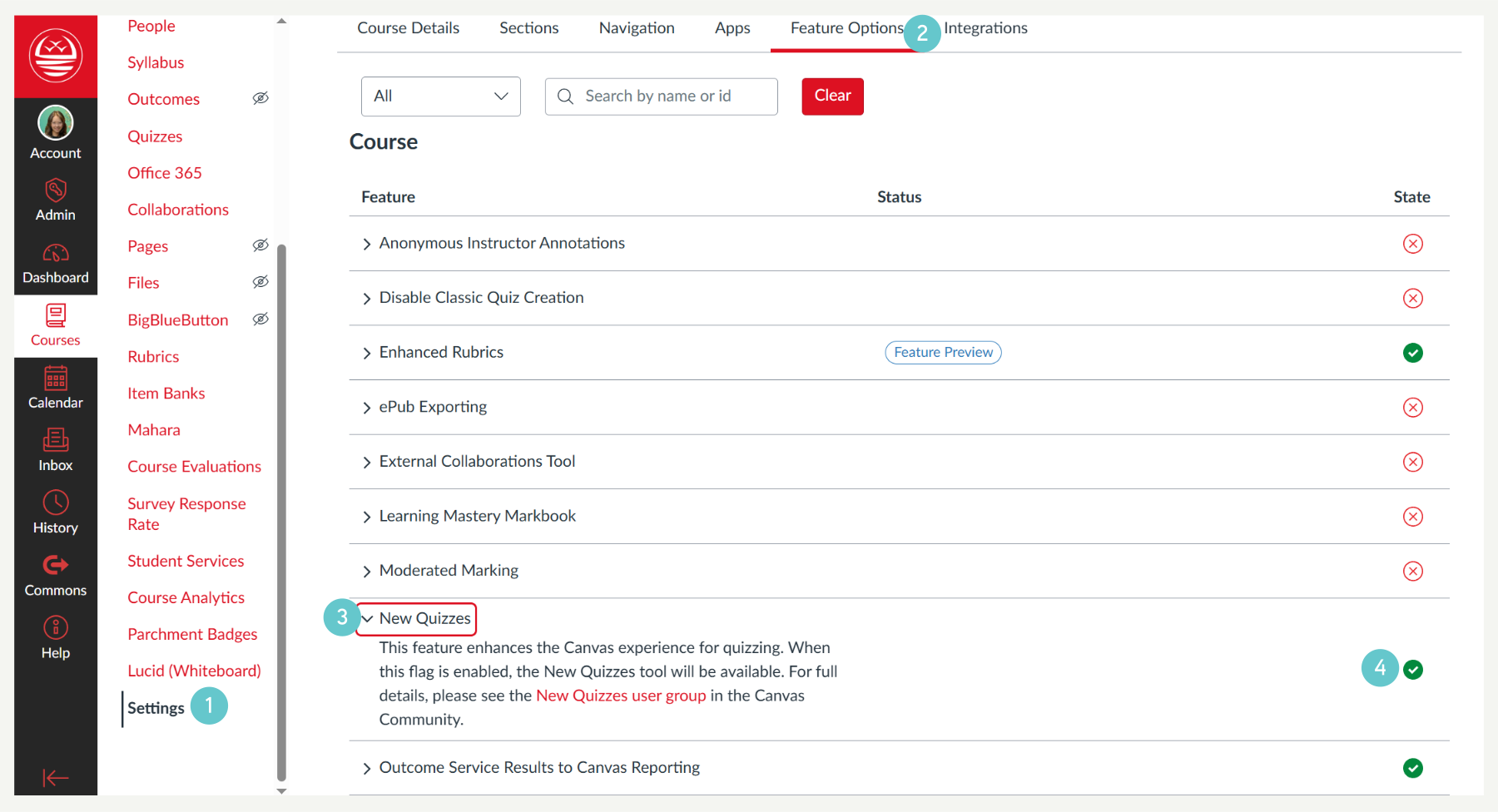
- Click Settings in the course navigation menu.
- Click into the Feature Options tab
- Locate the New Quizzes entry.
- Click the Red X (in the State collumn) and select Enabled (it will turn green) to allow the tool in your course.