
IgniteAI Search is an AI-powered tool in Canvas that helps lecturers and students quickly find course content using everyday language. It understands the meaning of search terms and returns relevant results from published course materials. It does not search Files or student submissions.
IgniteAI Search returns results from published:
- Assignment descriptions
- Pages
- Announcements
- Discussion prompts
When a search is entered, it is compared with the indexed course content and displayed as a ranked list with short previews and links. Students and lecturers only see items they already have permission to access. IgniteAI Search does not include student submissions or quiz questions and supports multiple languages.
To use IgniteAI Search
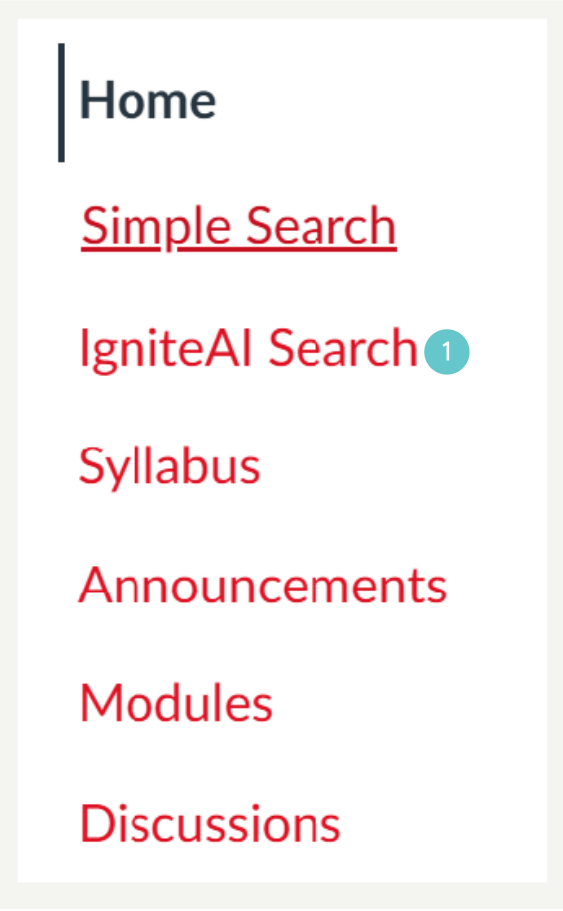
- In Course Navigation, click IgniteAI Search.
- The first time you use it, Canvas may take a short time to index all published content.
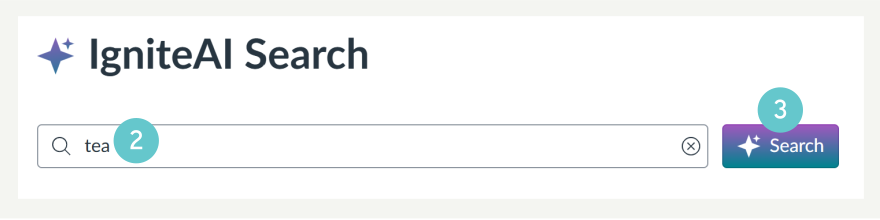
- Type your keywords, phrase, or question.
- Click Search.
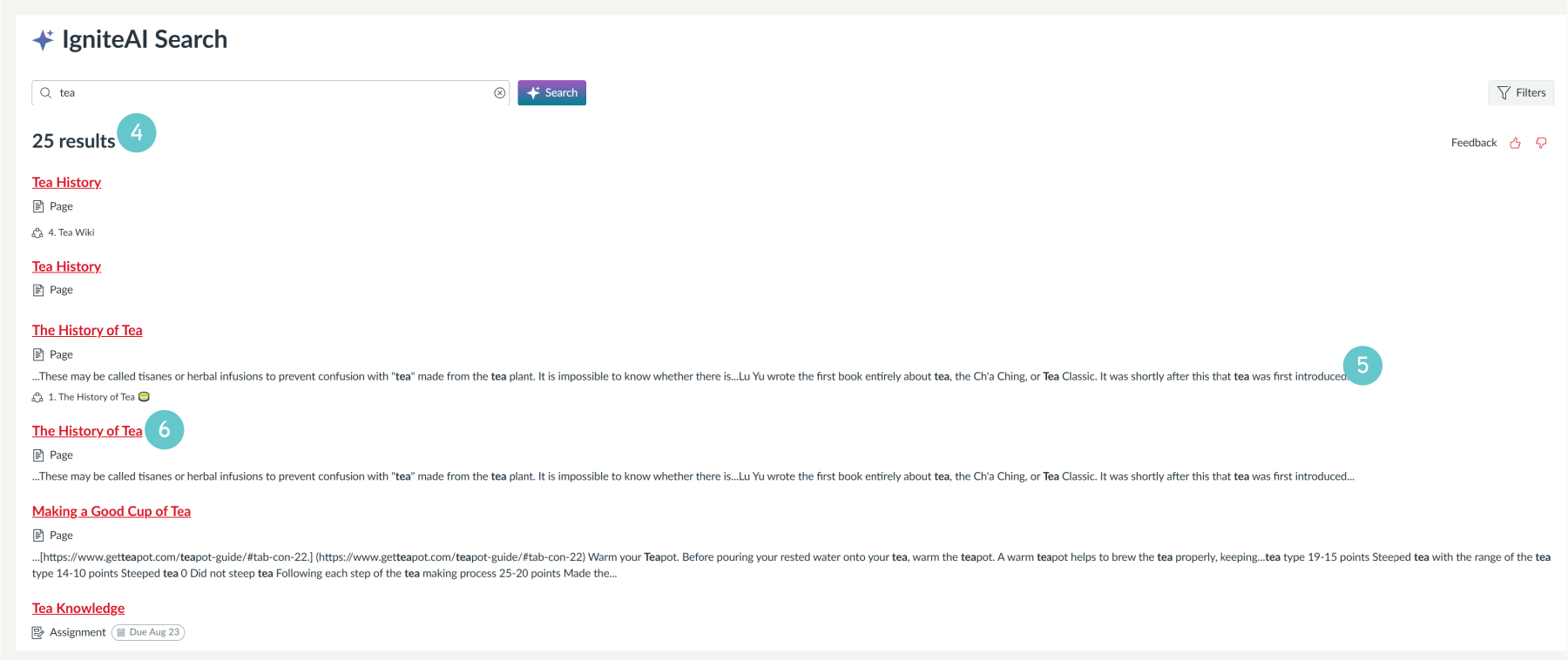
- Results appear below the search box.
- Each result includes a short snippet of text.
- Click a result to open the item.
To Refine Your Search (Optional)
- Click Filters in the top-right corner.

- Select the content types you want included.
- Click Apply to update the results.

Best practises for lecturers
- Check published content – All published Pages, Announcements, Discussion prompts, and Assignment descriptions are searchable.
- Use clear titles and headings – Clear structure improves results.
- Remove personal information – Published names or emails may appear in search snippets.
- Inform students – Explain what the tool does.
Data privacy
- No student data is used to train the AI.
- The AI model is pre-trained.
- The search index is stored in the M.I.T Canvas database.
- Avoid placing sensitive information in published content as this is included in the search.