
IgniteAI Translations helps users read course content in their preferred language. It is available in Discussions and Announcements.
This feature currently supports the following languages: Catalan, Chinese (Simplified), Dutch, English, French, German, Portuguese (Brazil), Russian, Spanish, and Swedish.
The following guide will be using Discussions but the steps are the same in both.
- In Course Navigation, click Discussions.
- Click the name of the discussion you want to read.

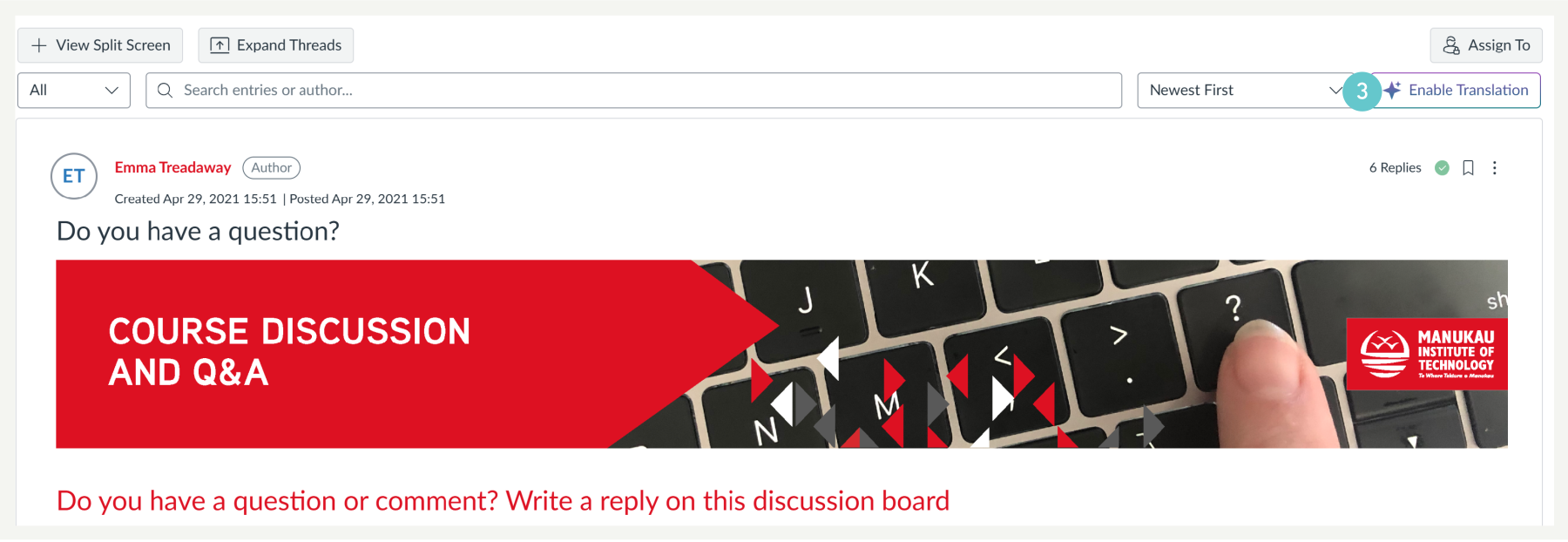
- Click the Enable Translation button.
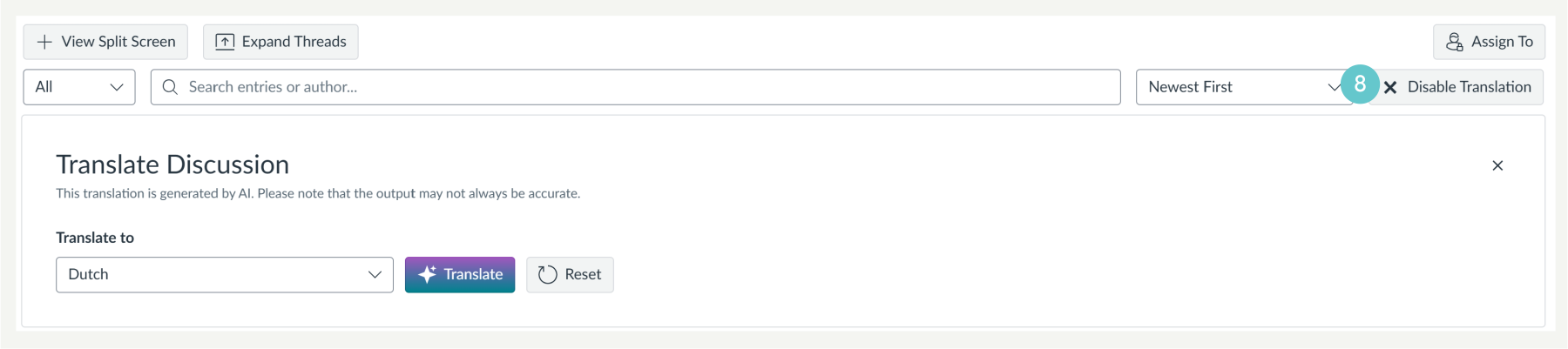
- In the Translate to drop-down menu, choose your preferred language.
- Click the Translate button.

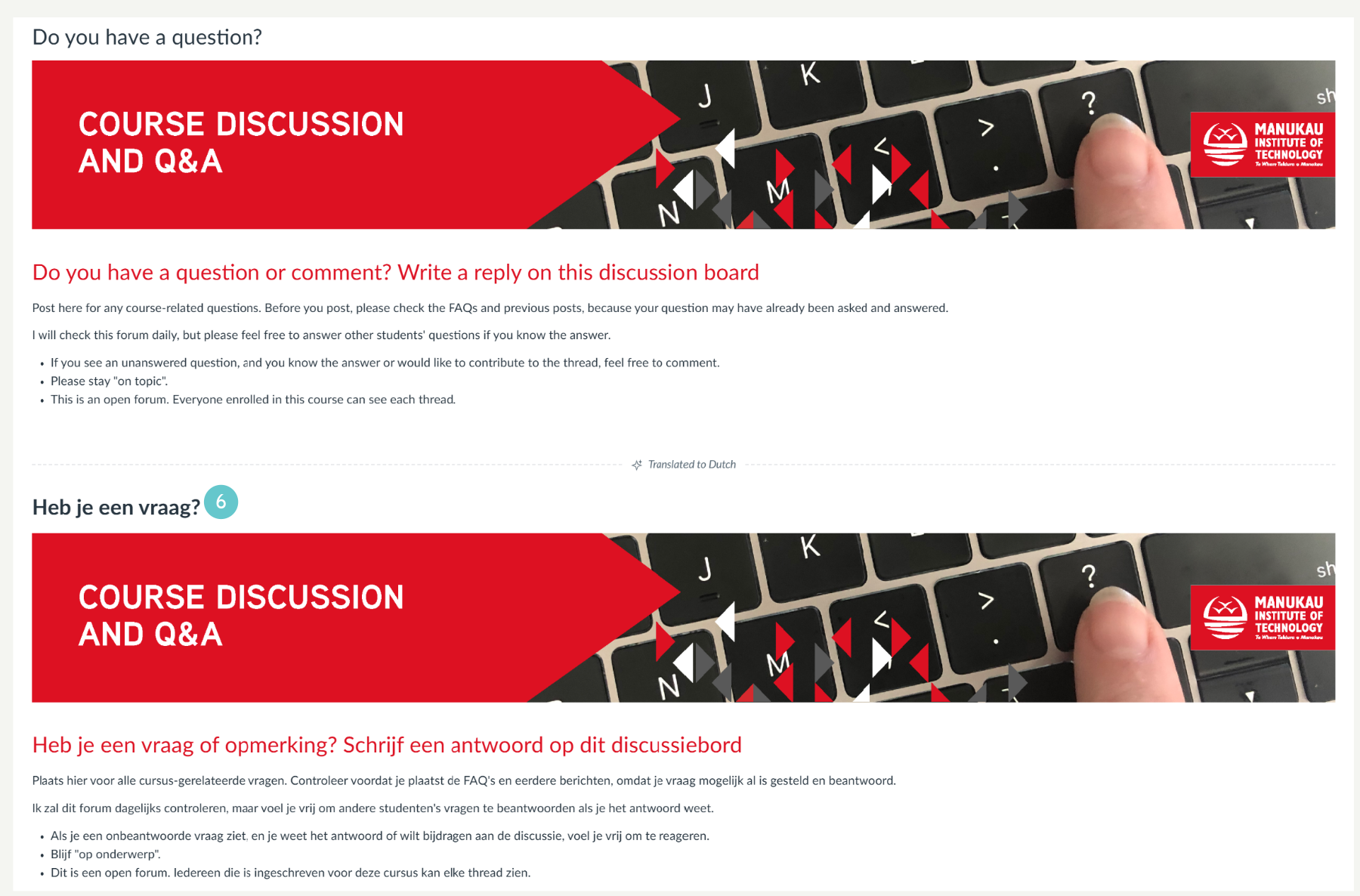
- The translated text appears below the original text.
- The discussion topic and replies will display in both the original language and the translated language.
- To remove a translation from the current view, click Reset.

Disable Translation
- Click the Disable Translation button.
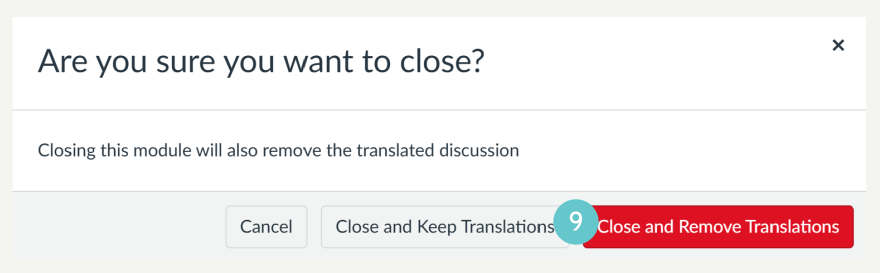
- A pop up will appear then choose one of the following options:
- Close and Keep Translations to disable the tool but keep the translated text visible.
- Close and Remove Translations to disable the tool and remove the translated text.
IgniteAI Translations supports clearer communication for multilingual students. It helps students engage with confidence and improves understanding across Discussions and Announcements.