
Organise Assessment Information in Canvas
A Canvas Assignment provides a place for students to access and submit an assessment. It should include the information students need to complete the assessment, such as instructions, submission details, due dates, marks and assessment criteria.
Sometimes students need additional information about their assessments. A Canvas Page is a useful place to provide this information.
Assignment = the marked or unmarked assessment
Page = additional information about the assessment
Use a Page for assessment information
An assessment information Page can give students an overview of their assessments and help them prepare.
What you include will depend on your course. Your Page could cover:
- an overview of the assessments in the course
- how assessments or tasks fit together
- links to each Assignment
- information about practical assessments, including where to go and what to bring
- preparation students need to complete
- frequently asked questions
You might create one Page for all assessments, a Page for an assessment group or portfolio, or a Page to provide supporting information for one assessment.
There is no set structure. Use the Page to provide the information that will help your students understand and prepare for their assessments.
Set up your assessment module
A clear assessment module helps students find assessment information and tasks in one place.
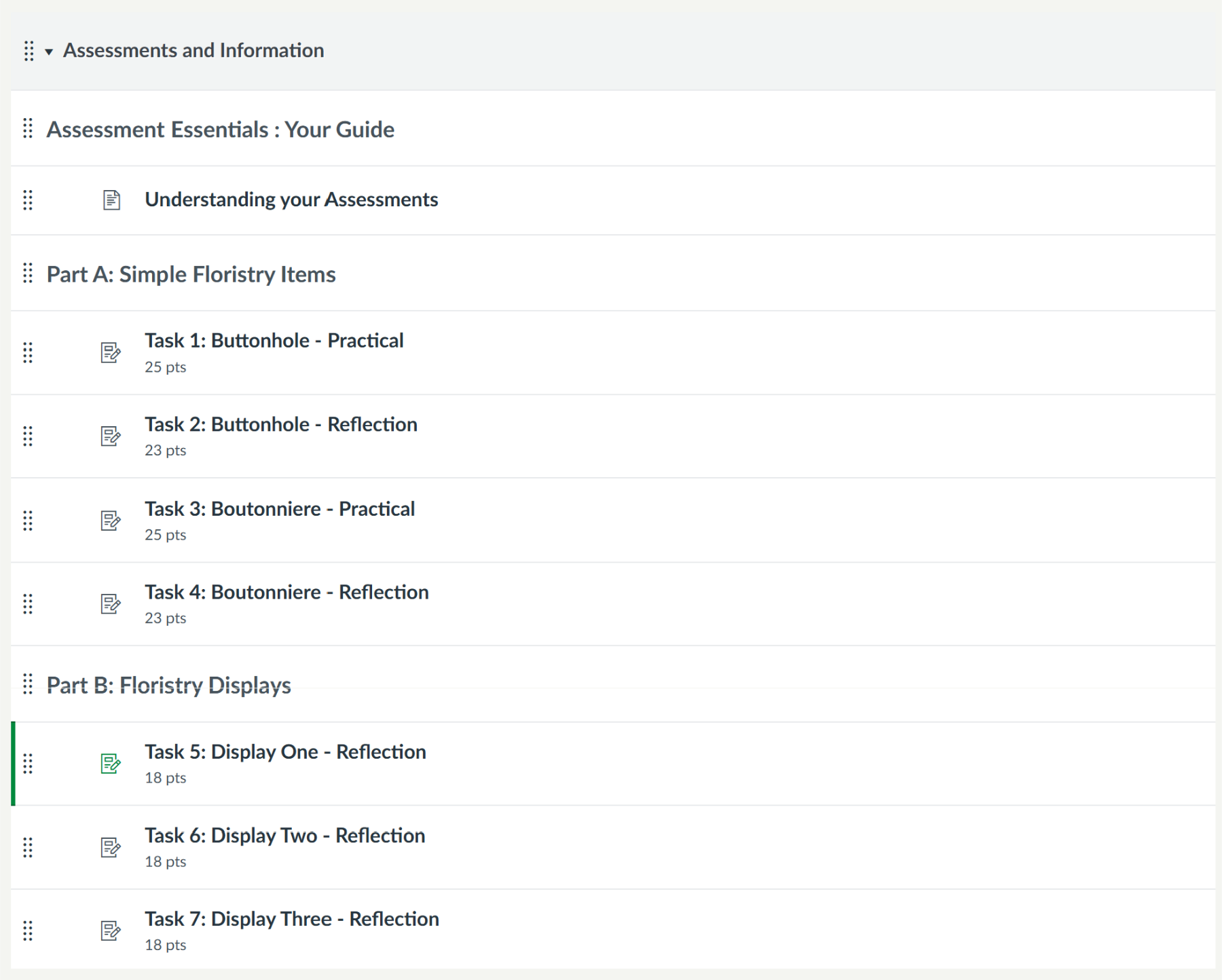
For example, you could start with an Assessment Information Page, followed by the related Assignments.
For a larger portfolio or group of assessments, you could use headings to organise related tasks and add information Pages where they are useful.
What goes in the Assignment?
Use the Canvas Assignment for the assessment itself.
Include the information students need to understand and complete that task, such as:
- what they need to do
- what they need to submit
- due date
- submission requirements
- assessment criteria or rubric
- instructions specific to that task.
Start with the Assessment Information template
You don’t need to build your Page from scratch. The Assessment Information template provides a starting point that you can adapt for your course.
The template includes suggestions for information you may want to provide. Keep the sections that are useful, remove those you don’t need, and add information specific to your assessments.
This template can be downloaded from Canvas Commons.
