

This Canvas Knowledge Base article is a helpful guide on how to use the MIT Moderation Planning and Tracking Tool.
The Moderation Planning and Tracking Tool (MP&TT) records planned and completed moderation activities for a programme in a calendar year. It records when internal and external pre-moderation, post-moderation and check marking was completed as well as the outcomes. The MP&TT tracks Programme Committee actions arising from moderation.
Using the MP&TT Sheets
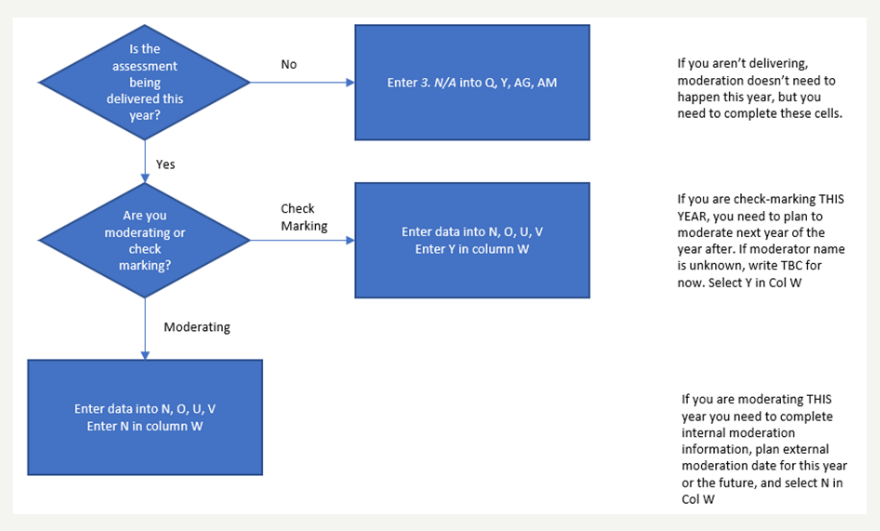
The flowchart below gives a snapshot of how to use the MT & TT.
- Your answer to the question in the diamonds determines the column you go to in the worksheet.
- Click on the drop-down menu in the column you need to enter in the information.

- Chart 1 – assessment delivery during the year. Answer the question and fill in the right column.

- Chart 2 – assessment has been delivered before

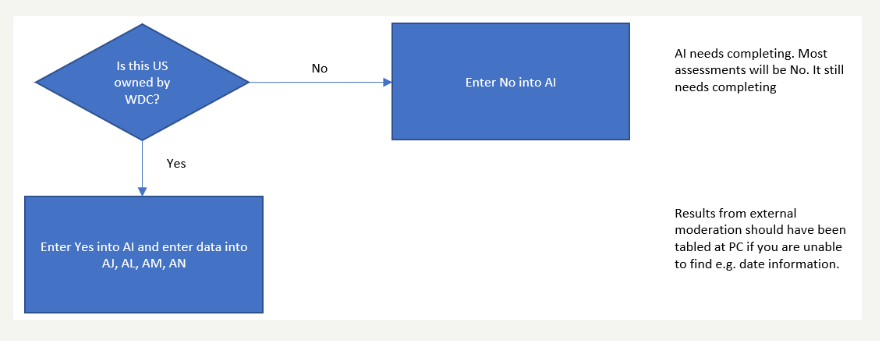
- Chart 3 helps you complete the section for Unit Standard moderation – is the Unit Standard regulated by a Workforce Development Council (WDC). If the answer is No, then the rest of that section will self-complete. You can find details about what’s required for external moderation and moderation for assessment standards in the Moderation Procedures (AC4/3).
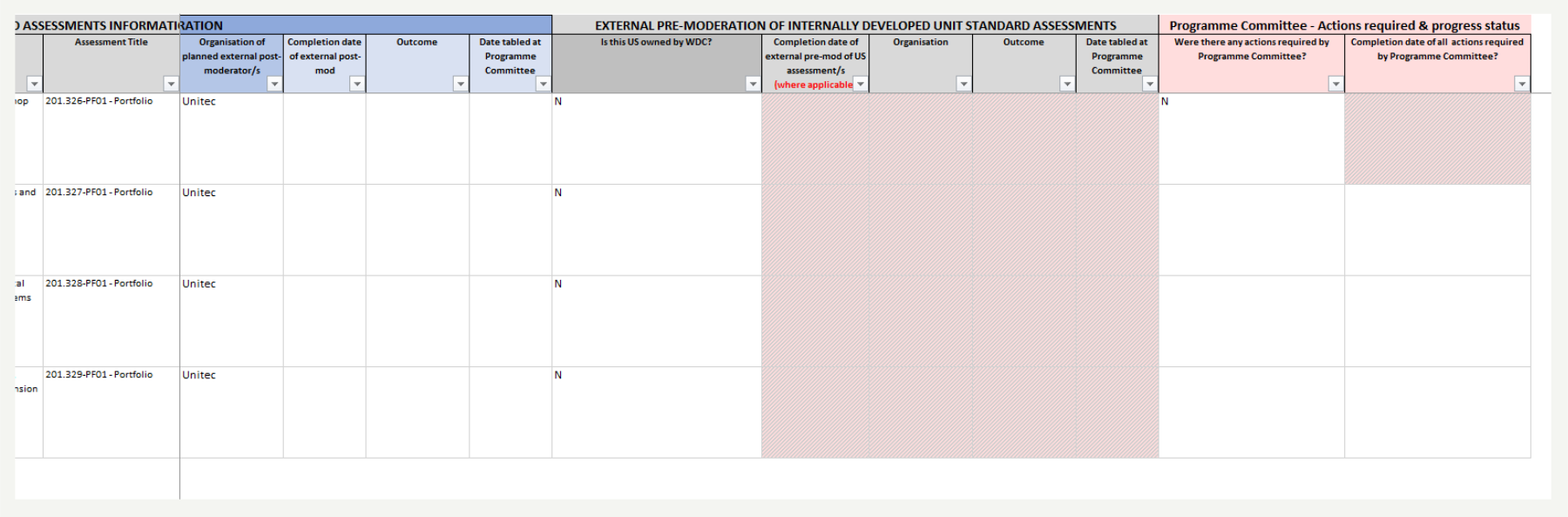
- Chart 4: If the Programme Committee has minuted any actions to be completed before the assessment can be used again, this section must be completed. Requirements may originate from the PC, WDC or NZQA. Where there are no requirements, enter ‘N’ and the action column will be disabled.
Note: The changes you make to the MP&TT spreadsheet will come into effect overnight which means the PowerBI Dashboard will be updated the next day.
Storing Moderation reports in Sharepoint
The MP & TT are stored in the moderation folder along with the moderation reports, assessment tools, assessment samples that were moderated and Notes to Moderator (if applicable).
The ALQ needs to make sure this is updated regularly as this information feeds through to the PowerBI Moderatoin Dashboard…
Here is the Files Storage Protocols indicating where the moderation folder sits.

Hints and Tips
- The MP&TT works best when it is updated after completion of each moderation activity.
- Having a copy of the MP&TT in the SharePoint moderator allows each assessor and moderator to take ownership of tracking their programme’s compliance and progress. This saves the AL Quality from chasing everyone up.
- Refer to the Knowledge Base Page What is the MP&TT for information on what the MP&TT is, and its purpose.
- You can find details about what’s required for moderation in the Moderation Procedures (AC4/3).