

Change permissions for recorded Teams videos via the chat or through OneDrive
Changing Permissions via Chat
- Open Teams
- Navigate to the Chat tab on the left menu of your Teams application.
- Click on the video to open.
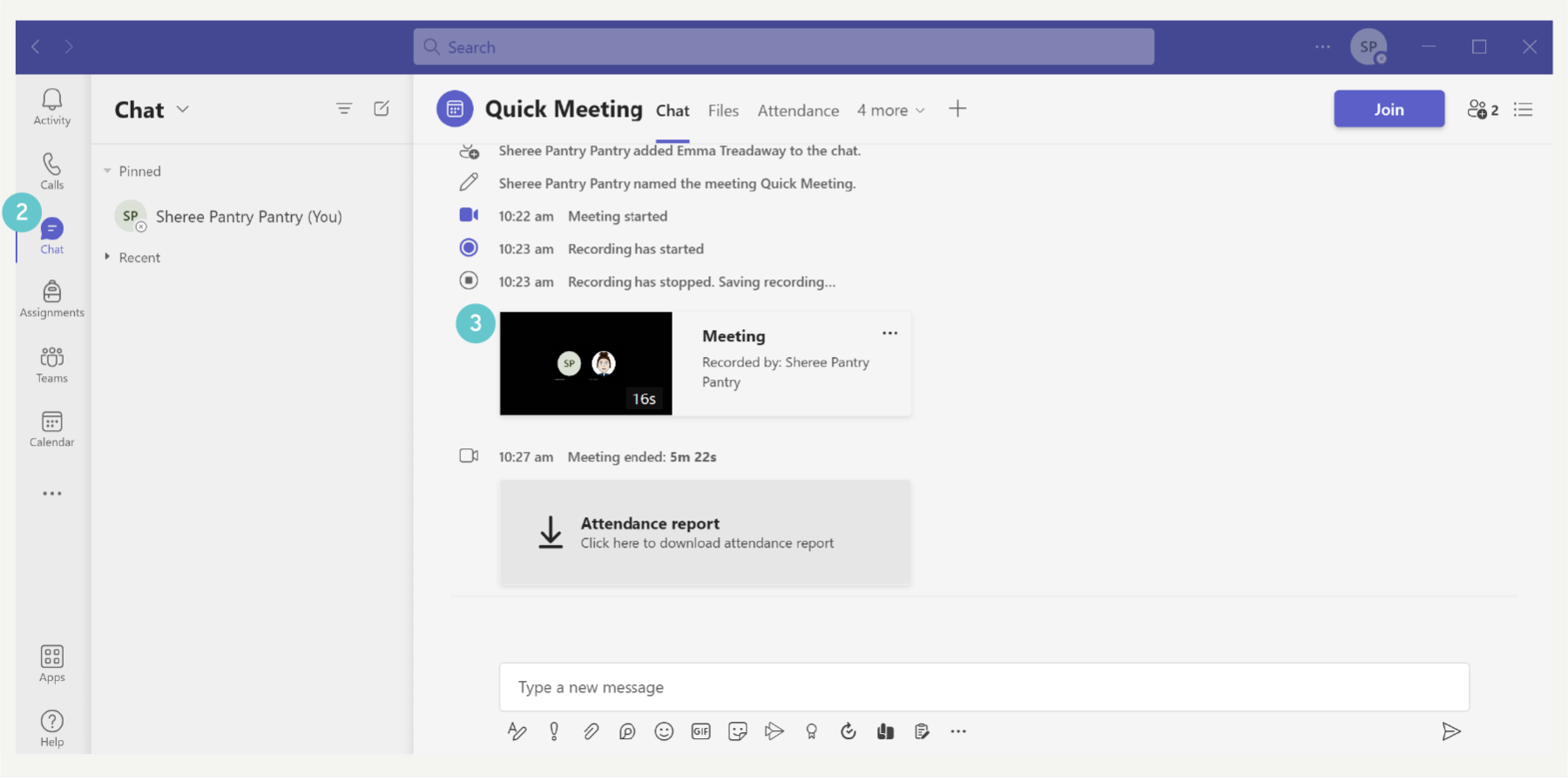
- The video will open in an internet browser tab in Microsoft Stream.
- Note: the video is not saved in Stream, it is saved in Documents inside the Recordings folder, the Stream application is used to view and play videos.

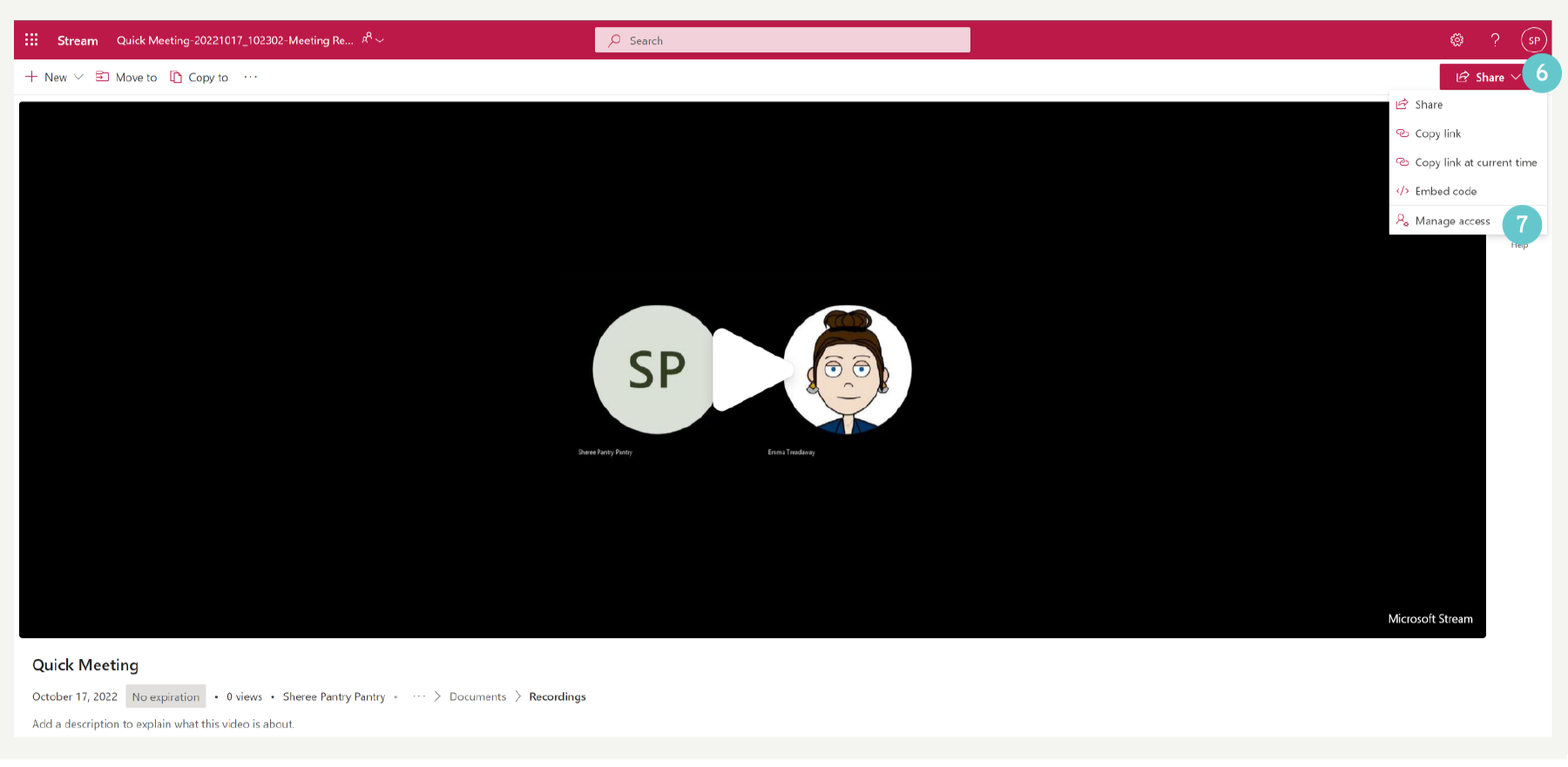
- Click on Share
- Click on Manage Access
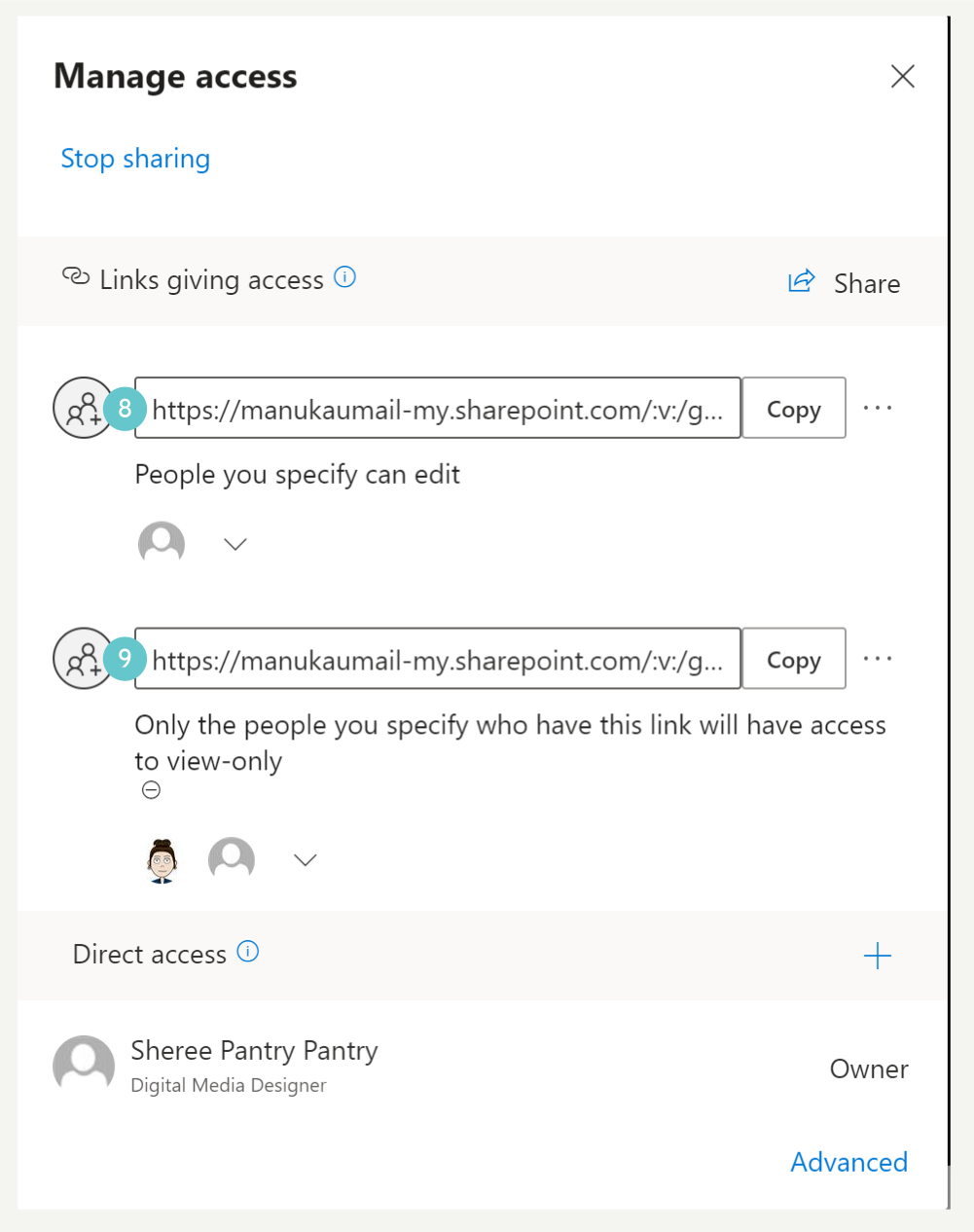
- This link allows for people to have access to view and download the video
- This link is for limited access to people added and wont let them download the video
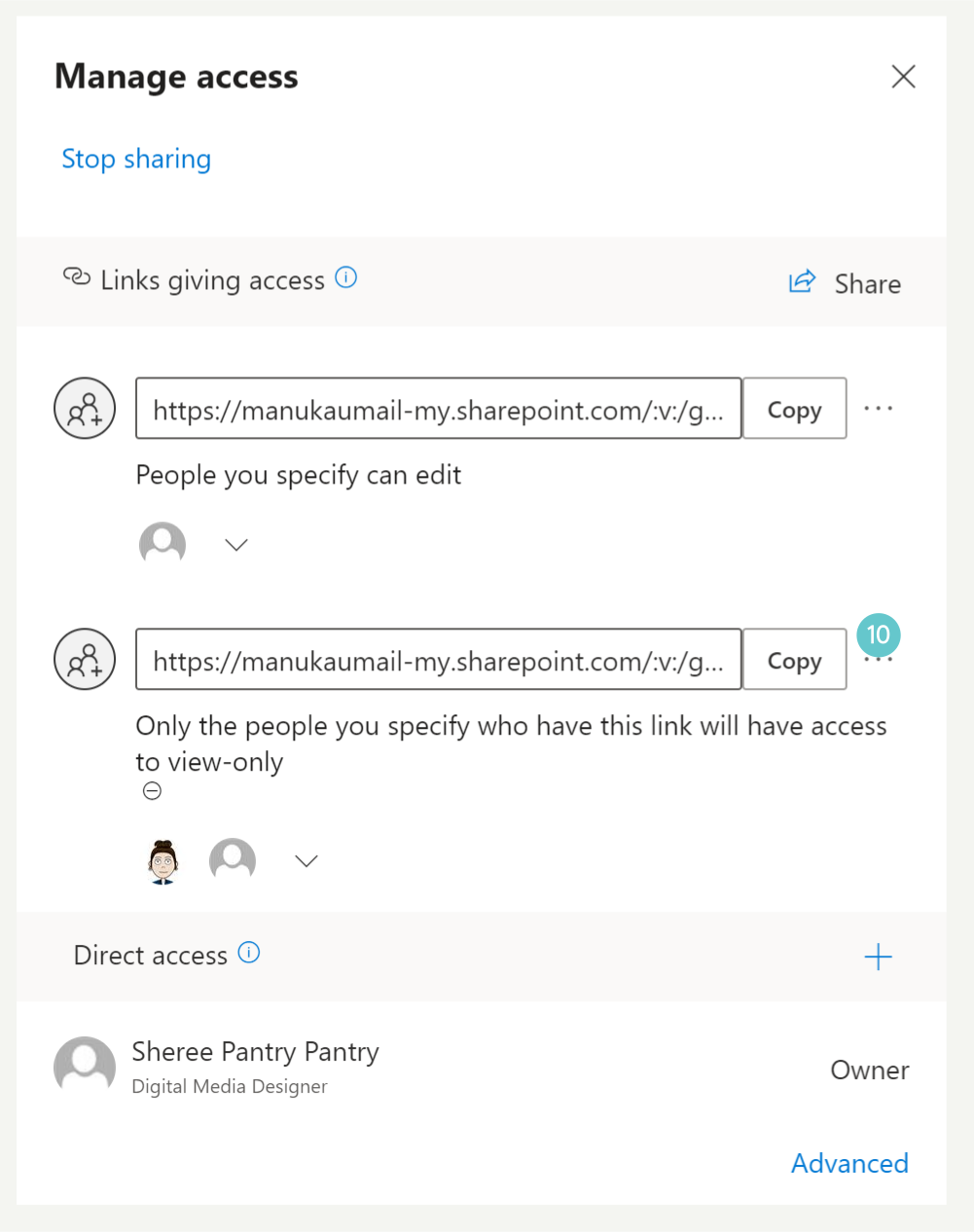
- Click the three dots
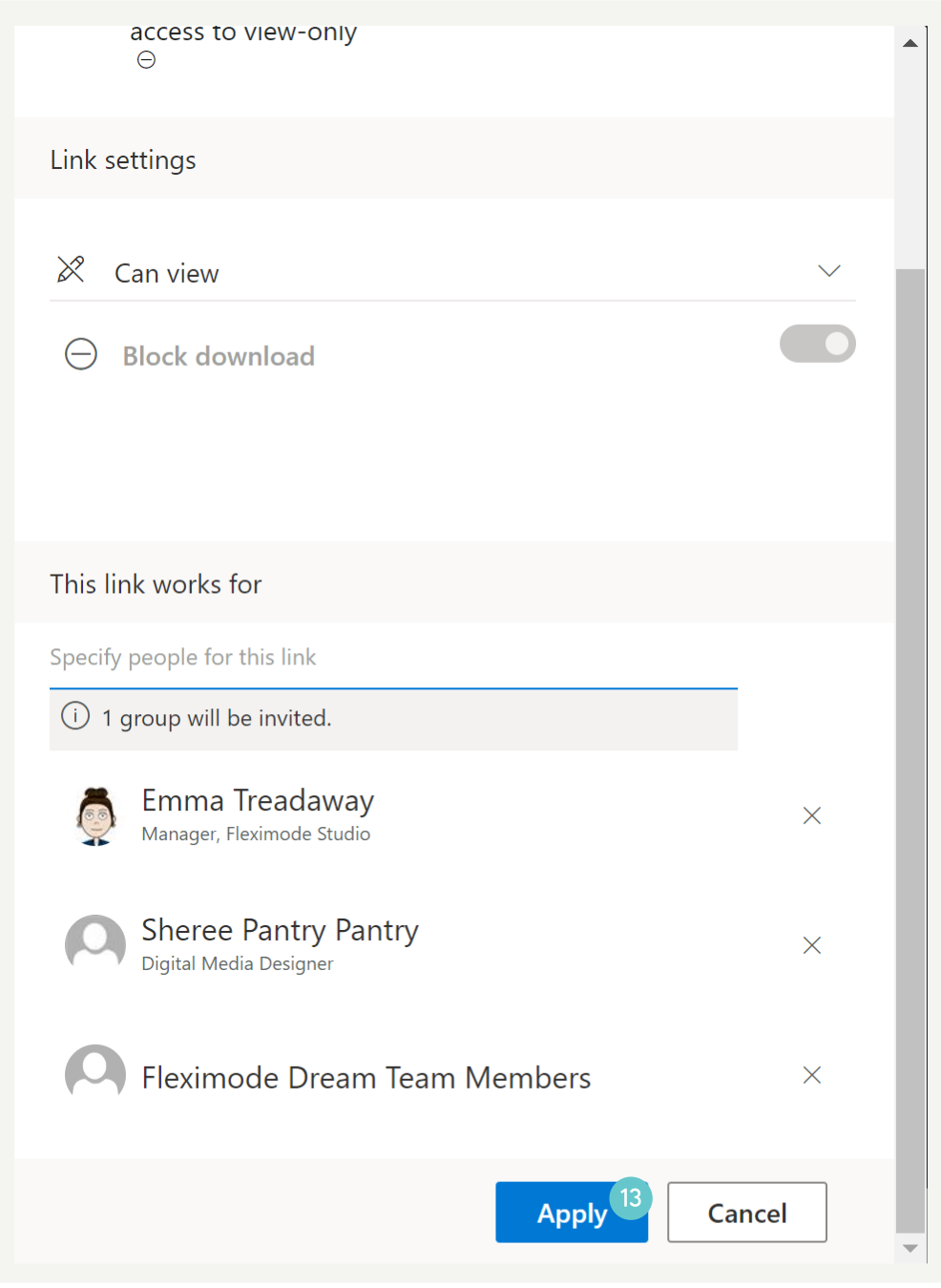
- Enter the names and/or group names here to search for them
- Click on the name from the drop down menu to add them to the access list

- Scroll down and click apply
Changing Permissions via One Drive
- Open OneDrive
- Navigate to My Files on the left menu
- Open the Recordings Folder

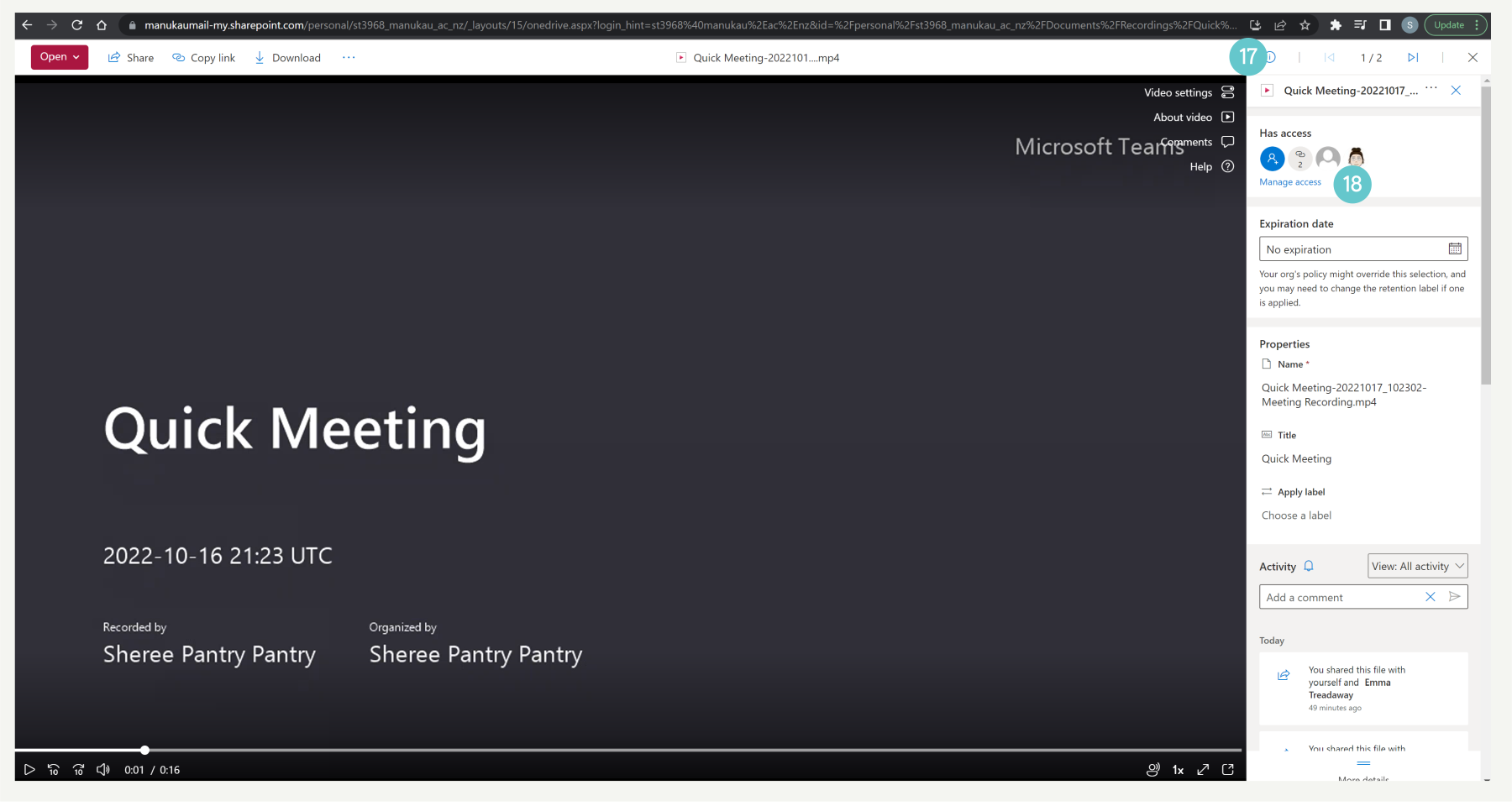
- Click on the i icon on the top right
- Click Manage Access
- This link allows for people to have access to view and download the video
- This link is for limited access to people added and wont let them download the video
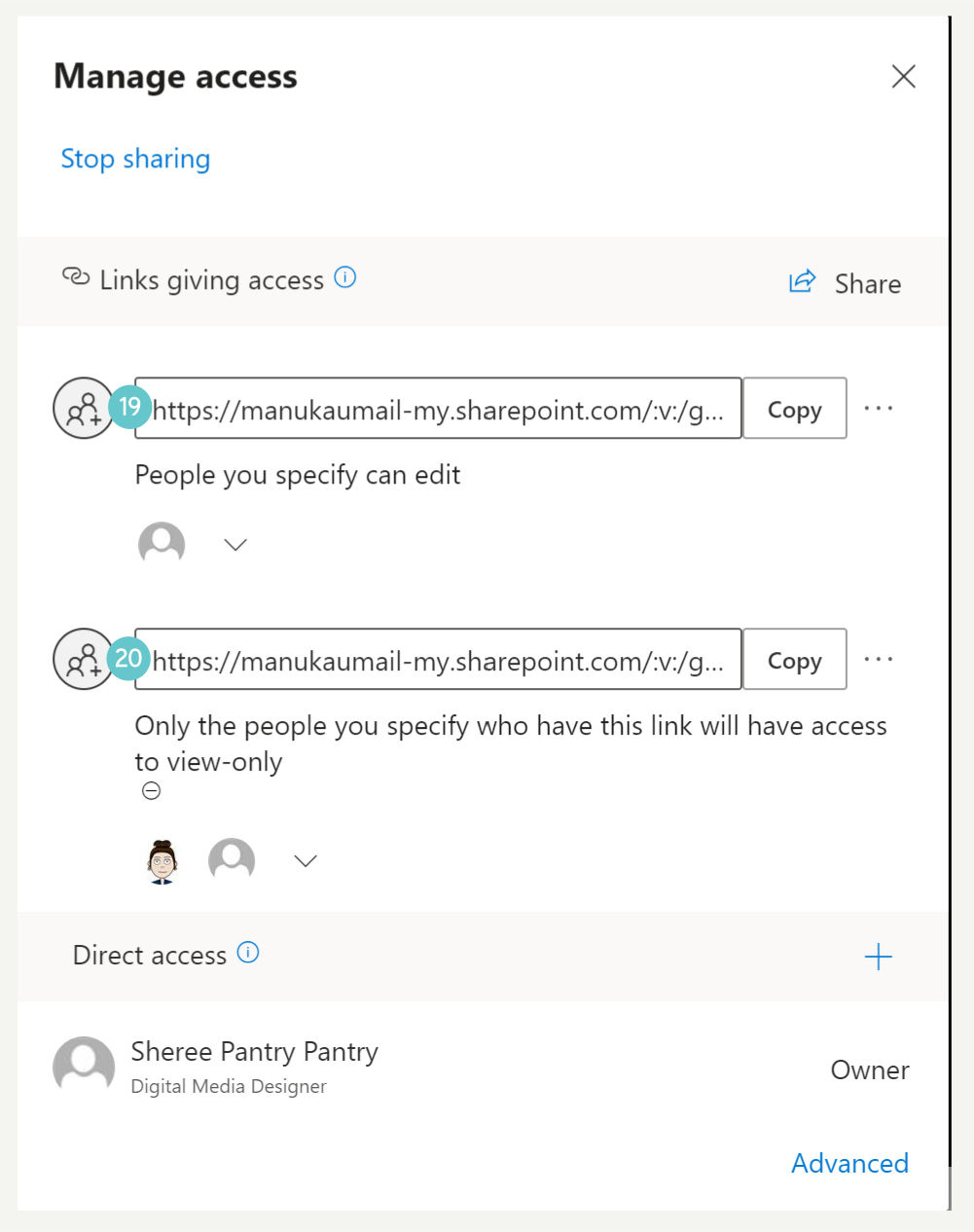
- Click the three dots

- Enter the names and/or group names here to search for them
- Click on the name from the drop down menu to add them to the access list

- Scroll down and click apply
