

Lecturers can assign pages to students and set availability dates. Additionally, lecturers can assign Pages to Mastery Paths.
Benefit
This update streamlines lecturers workflow and improves the ability to differentiate instructions.
Note: Pages cannot be assigned due dates.
- When viewing a page, lecturers can use the Assign To button to quickly manage availability dates and assign them to students.

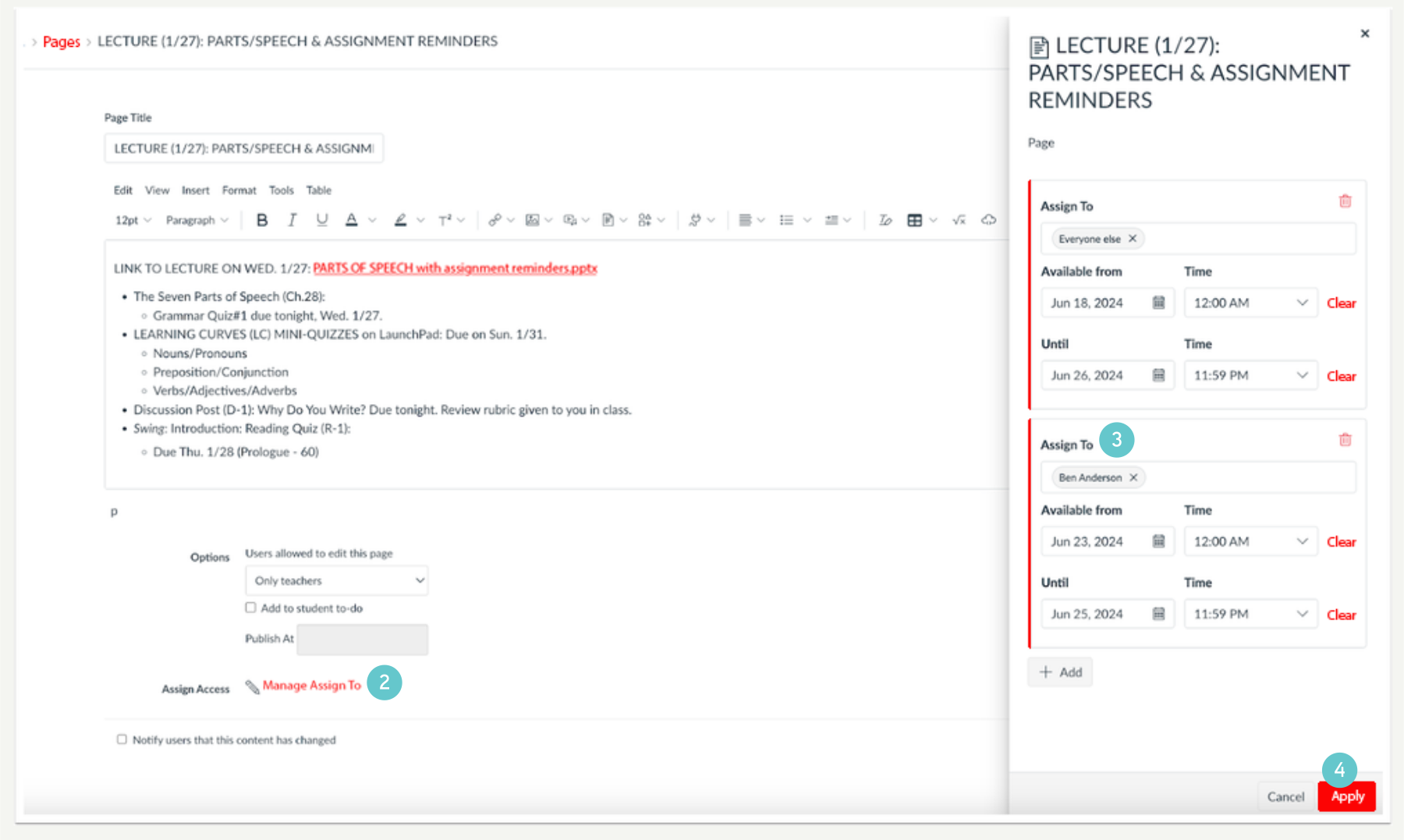
- When editing or creating a page, click the Manage Assign To link.
- Lecturers can differentiate pages as well as manage availability dates in the Assign To tray.
- Then, click the Apply button.
- After applying changes and closing the tray, a display stating that changes are not yet saved.
- To save changes, click the Save button.
