Restoring a Previous Version of a Page on Canvas

When you edit course pages, you can view the page history and see the date, time, and author of any changes made to the page. Page editors can also roll back the page content to a previous version of the page.
Navigate to the Page you wish to revert changes to:
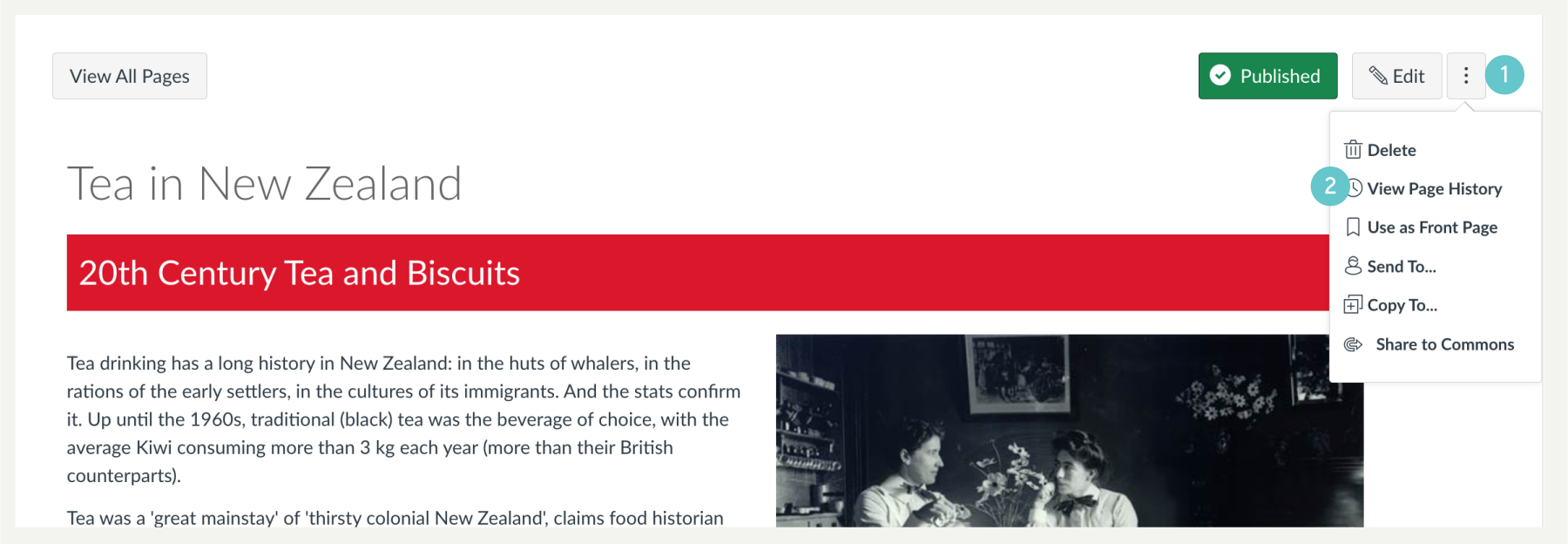
- On the page, select the three dot button
- Click on View Page History.
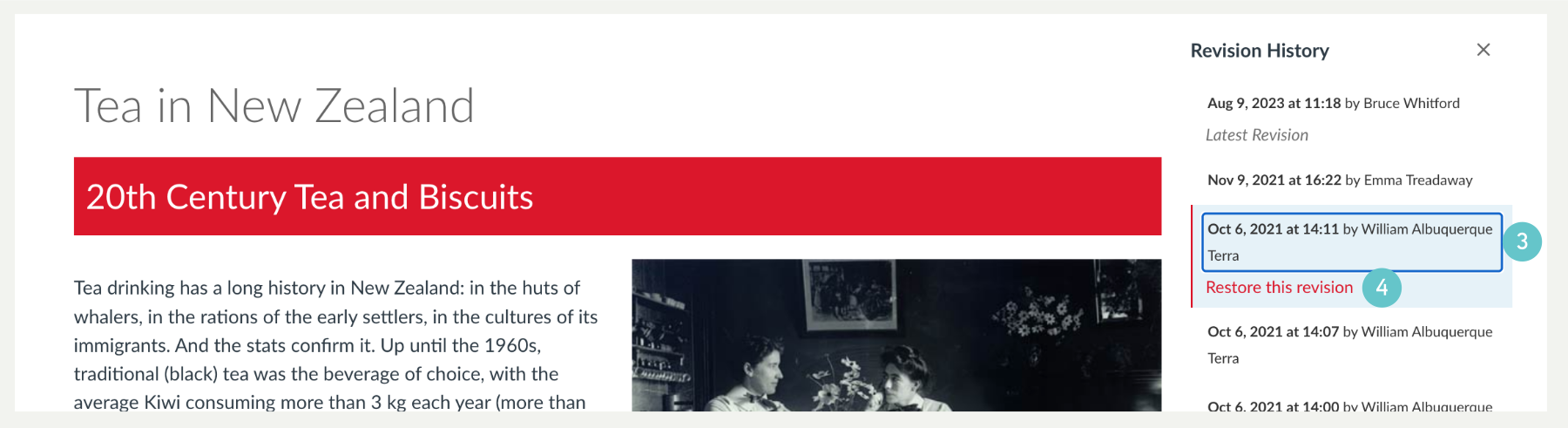
- A Revision History sidebar will open. Select the version you’d like to restore,
- Click Restore this revision