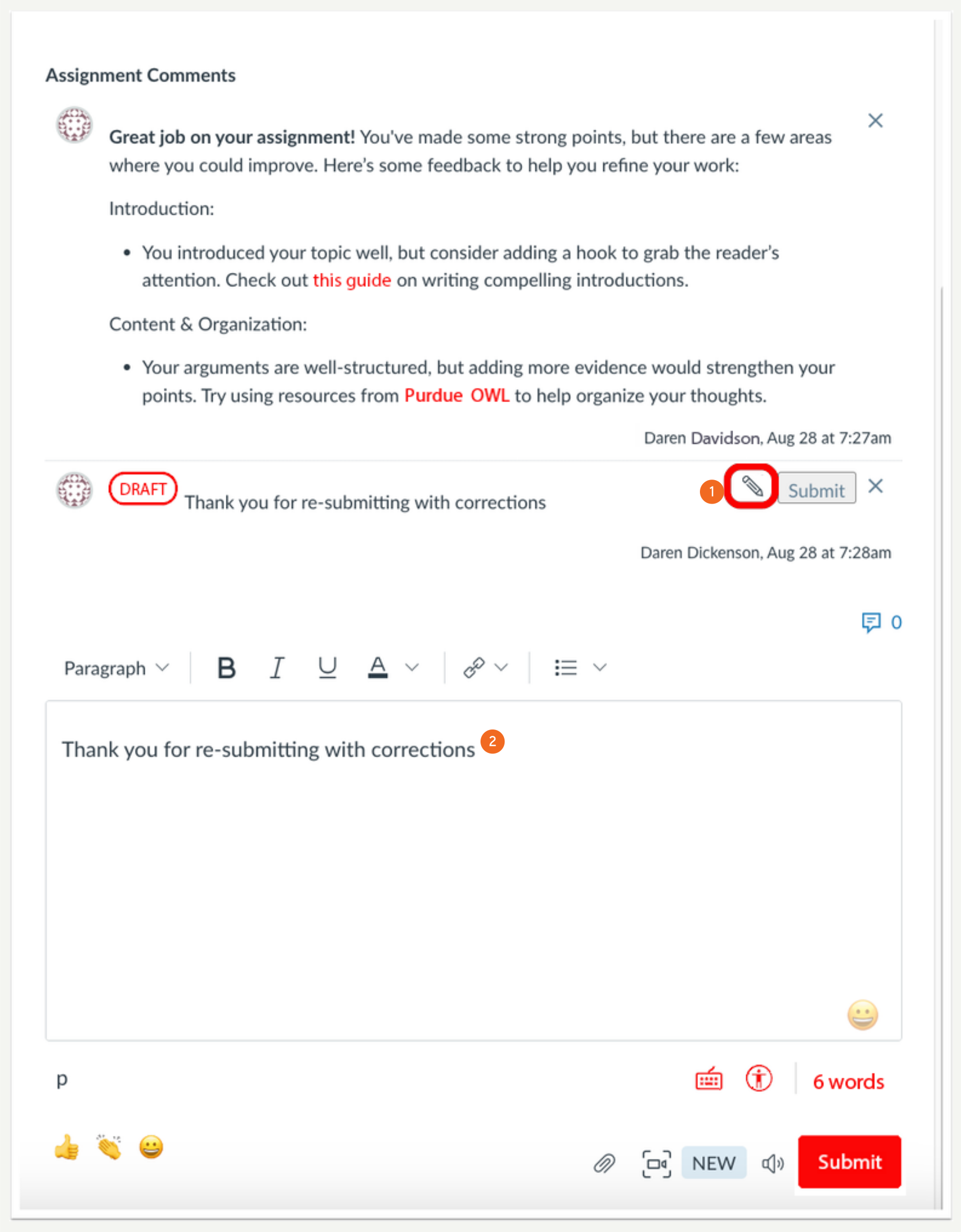
In SpeedGrader, lecturers can utilise Rich Content Editor features, such as formatting options and hyperlinks, when drafting comments to provide detailed feedback. This enhancement improves communication by allowing lecturers to emphasize key points and organise information more clearly, making it easier for students to understand and act on the feedback.
In SpeedGrader, certain Rich Content Editor (RCE) features are available when commenting. Additionally, lecturers can edit comment drafts. The available RCE features include:
- Heading
- Bold
- Italic
- Underline
- Font colour
- Insert Hyperlink
- Bullets
Note: Lecturers and students can view formatted comments in all locations where comments are accessible.
Benefit of this change
This change allows lecturers to provide more detailed and formatted feedback to students by emphasising key points, organising information clearly, and including external resources directly in their comments. This enhanced feedback improves communication, making it easier for students to understand the feedback and take action on it.

In SpeedGrader, instructors can use certain Rich Content Editor features to draft a comment.
- To continue editing a comment draft, click the Edit icon.
- The saved content will then be reloaded into the Rich Content Editor for further editing.