

What Turnitin is, and how to use it.
Turnitin is a tool embedded in Canvas which is used to assist with ensuring the academic integrity of student work submitted for formative and summative assessment.
You may only use Turnitin for checking similarity data of text-based assessments offered by MIT.
You do not have to use Turnitin for every written assessment submission. Some assessments are not appropriate, e.g. where an assessment requires a high level of repetition of factual material.
Formative Assessment
By using Turnitin, you are helping students improve their understanding of how published content is incorporated into academic writing. It is part of your role to ensure students understand how to use the information provided by Turnitin to improve their academic writing.
Students can view the similarity index for their work and look at the sources for their references. This will help them to see where they could improve the way they paraphrase, quote and reference source material. Students can also check the appropriateness of their source material (i.e. general websites versus academic sources).
For each assessment, a maximum of three draft submissions and one final submission may be uploaded by students to Turnitin.
Summative Assessment
The information provided by Turnitin for a summative assessment submission will allow you to give meaningful feedback to students on their academic writing ability and to check that the student’s assessment is not plagiarised or copied from another student.
Similarity Index
Turnitin provides a similarity index from text matches which should be regarded as only one piece of information about a student’s academic writing. If there are concerns about a student’s summative assessment, information from Turnitin should be reviewed and evaluated prior to making any determination on whether misconduct has occurred.
To reach a decision about the assessment, exclude:
- Bibliography/references.
- Small matches less than 5%.
- Correctly cited quoted material.
- Any material which has been provided to the student as part of the assignment (e.g. title page, cover sheet, marking rubric, questions and assignment information).
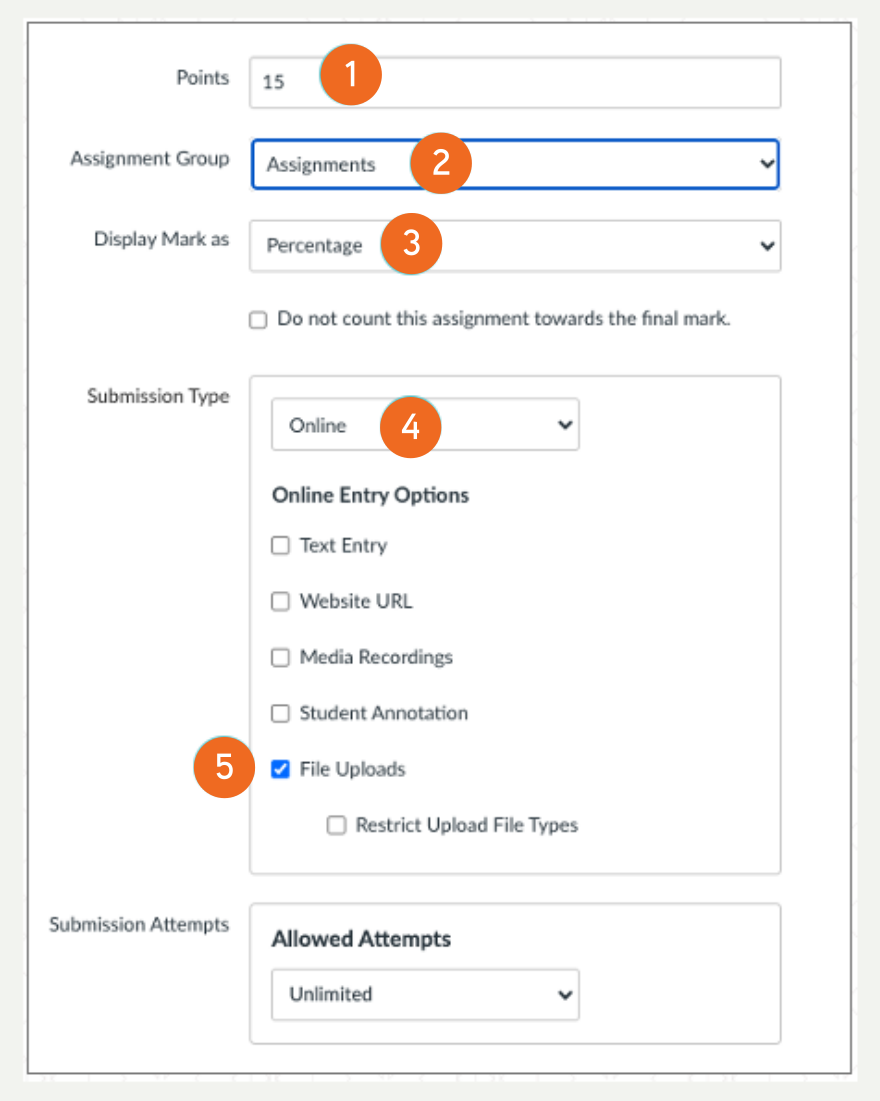
Start by Creating your Assessment in the Assignment window.
- After you have entered a name and assessment description move down the page until you see Points.
- Select your Assignment Group.
- Then Display Mark as
- Choose Online as you Submission Type.
- And File Uploads to activate the Turnitin Framework option.
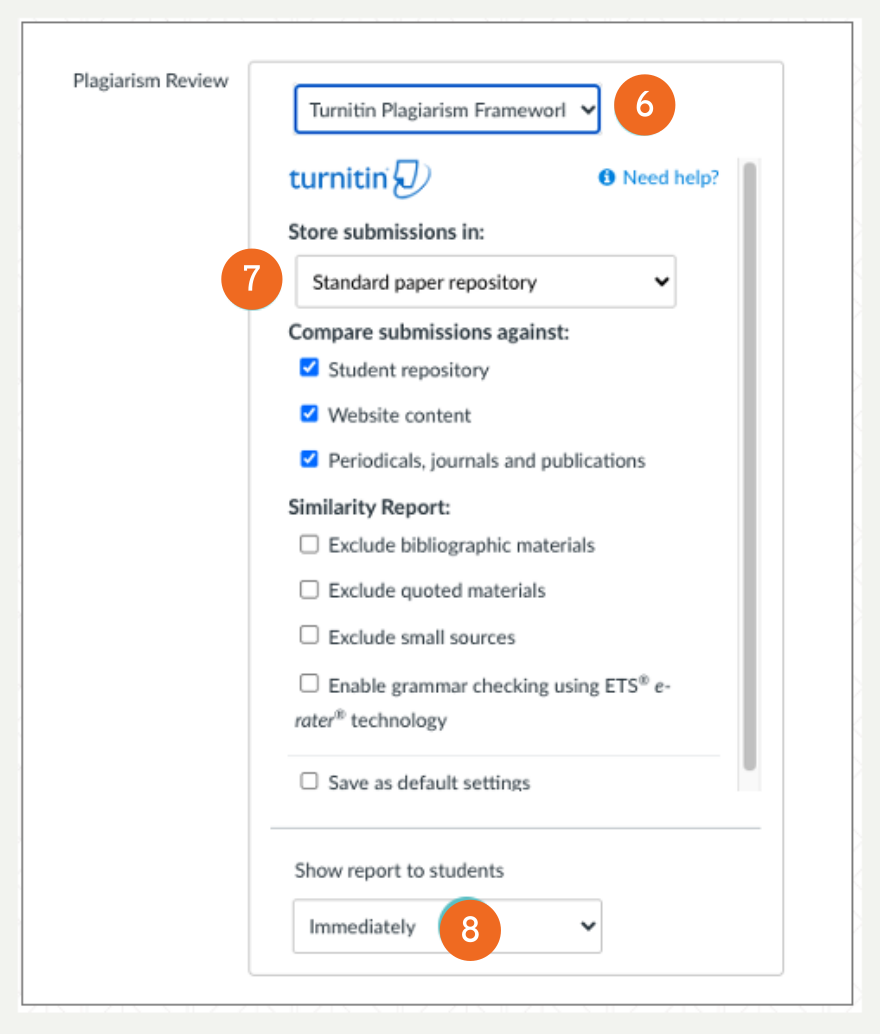
- The Turnitin Plagiarism Framework connection is made and revealed.
- Select Store submissions in: and tick all the features you want to use from Compare submissions against: and Similarity Report:
- Choose Immediately
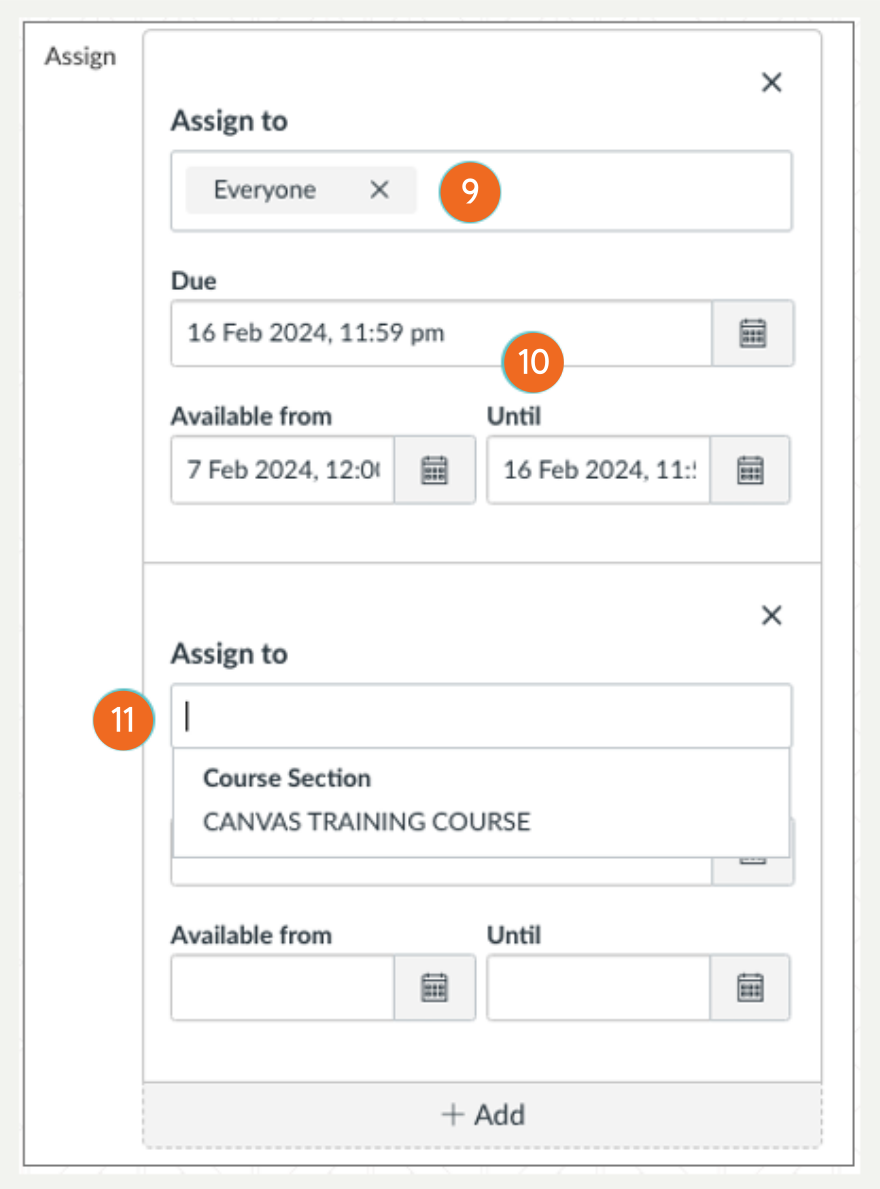
- Select who this Assessment is to be Assigned to.
- Add a Due date, Available from and Until dates.
- By clicking on the + Add button, you can Assign to an individual or group an extended date of viewing availability.
Hints and Tips
- You need to use Turnitin as one of many tools to check assessment integrity. It cannot be used in isolation. There is no magic similarity index that shows a student has cheated.
- Make sure you have taught students how to correctly use APA referencing and quoting.
- Exclude bibliographic materials and quoted materials in your Turnitin settings
- If there are common phrases that you expect students to use, exclude small sources either as a percentage or a word count.
