
Looking to make your Canvas course more visual and engaging? The Content Page Templates are ready-made designs that help you present course material in a clear, consistent, and professional way. Each template has its own look and purpose, giving you the flexibility to match your teaching style or course theme.
Getting Started
To use any of the templates, go to Canvas Commons and search by name: Page Template – Blue, Page Template – Orange, or Page Template – Purple. Click Import/Download, select your course, and edit the page to fit your content.
Each template is designed to save you time while keeping your course pages consistent, attractive, and easy for students to navigate.
Editing the Template
Click Edit to customise the headings, subheadings, and text. You can use the structure to guide students through key concepts, questions, or learning reflections. When adding content:
- Start with an introduction to the topic or idea.
- Add short explanations, examples, or definitions.
- Include discussion questions or reflection tasks.
- Add visuals, diagrams, or short clips to support understanding.
- Link to readings or further study materials.
- Finish with a short summary or next steps.
- Review formatting before publishing.
The Blue Page Template
The Blue Page Template gives your course pages a clean and structured layout. Its calm, organised design makes it ideal for presenting lessons, topic summaries, or instructional content that needs to look polished and easy to follow. Use it when you want students to focus on clear information and well-organised ideas.

The Orange Page Template
The Orange Page Template adds brightness and energy to your course. Its bold colour draws attention, making it perfect for announcements, weekly updates, or short guides. It helps students quickly find key details such as dates, deadlines, or important links, while keeping your course pages visually engaging.

The Purple Page Template
The Purple Page Template creates a calm and reflective space for deeper learning. Its soft design supports theory-based content, lesson reflections, and discussion prompts. This template works well for encouraging students to think critically and respond thoughtfully.
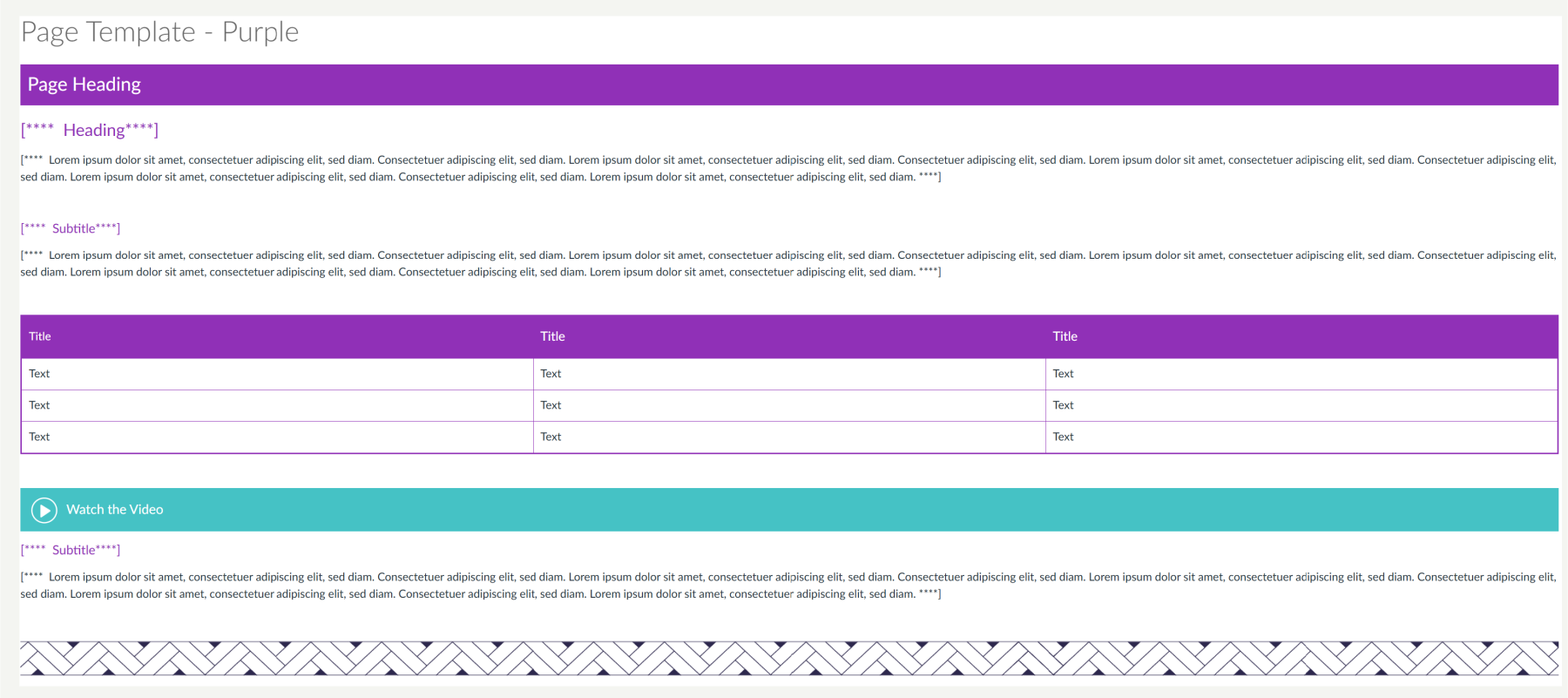
You can find these templates directly in Canvas Commons. Just search for MCS: Blue/Orange/Purple Page Template and look out for the Fleximode Duck.