

This article explains what the MIT Moderation Planning and Tracking Tool is and how it enables accurate data tracking and progress of moderation activities for each School.
The ‘live’ MP&TT spreadsheets link to MS PowerBI, which MIT’s Business Analysts use to create visual reports. These help Academic Committees track moderation progress and compliance across all Schools and programmes.
It tracks the due dates and completion of internal and external pre-moderation, post-moderation, and check marking.
The MP&TT records moderation outcomes and any required Programme Committee actions. Academic Leads Quality must keep the live version updated so the PowerBI Dashboard shows accurate moderation data for each School.
The MP&TT sheets record moderation data for courses delivered by each School in the current year, with outcomes reported through the Student Management System (SMS). Sheets for Trades Academy and Foundation programmes are stored in a separate folder from the Schools’ sheets.
Regulatory Body external moderation (WDC and NZQA) is not planned in this tracker, but outcomes must be recorded in the pre- and post-moderation sections. As per the Moderation Procedures (AC4/3, Sections 4 and 8), internal moderation must be completed before sending assessments for external moderation, including NZQA and WDC managed standards.
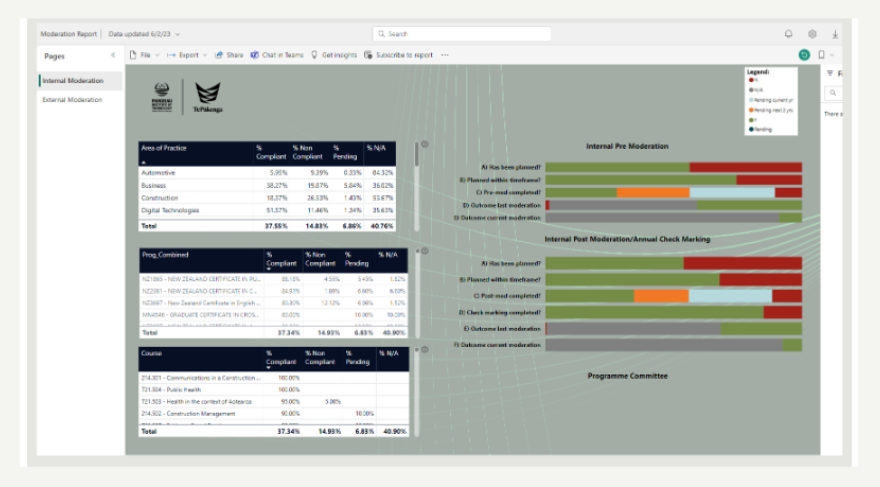
The PowerBI moderation dashboard (Figure 2) provides an overview of moderation progress and compliance for all programmes at MIT. It helps identify good practice and any concerns so they can be addressed promptly. The dashboard URL is in the Notes sheet of the MP&TT.
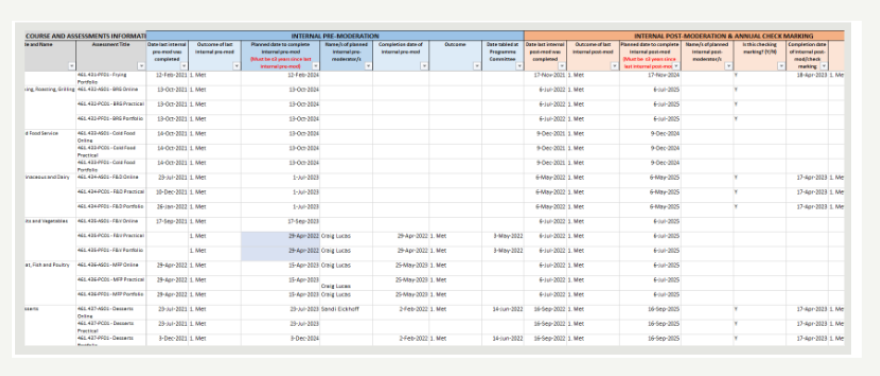
The MP&TT is part of the Assessment and Moderation Policy (AC4) and is used to plan and track moderation. If it is not updated, it will look as if moderation is not happening. Most Schools store a copy of the MP&TT in their SharePoint Moderation folder, following the MIT File Storage Protocols (Figure 3). Academic staff record their moderation activities here and report them to the Programme Committee (PC). Copies of the updated MP&TT are included in the PC papers for each meeting. The Academic Lead Quality transfers information from the School’s copy to the MP&TT file used for the Power BI dashboard.
You check moderation progress regularly through the SAER Committee. They report to the Academic Committee to keep them updated on moderation compliance in the Schools.
The MP&TT is not used on its own. To have a complete record of moderation, you must also store moderation reports, assessment tools, moderated assessment samples, and Notes to Moderator (if needed). All files must follow the File Storage Protocols. Read Using the MP&TT for Tracking Moderation Activities for details on how to store these files.
Hints and Tips
- The MP&TT works best when updated on completion of each moderation activity
- Having a copy of the MP&TT in the SharePoint moderator allows each assessor and moderator to take ownership of tracking their programme’s compliance and progress
- Academic Leads Quality update the MP&TT that feeds into the PowerBI application
- Refer to the Knowledge Base page Using the MP&TT for Tracking Moderation Activities for information on how to enter information accurately and where to store moderation evidence including student assessment samples.
- You can find details about what’s required for external moderation and moderation for assessment standards in the Moderation Procedures (AC4/3).