

An explanation of how to create a reminder for a Calendar item in Canvas.
You want to send a reminder to your students that e.g. an assignment is due on date X. The Canvas Calendar does not directly have this function, but there a couple of ways around the problem.
Method 1:
Send an Announcement to the students that you can create in advance (e.g. when you first set up dates in your course occurrence) that Canvas auto sends on a particular date.

Method 2:
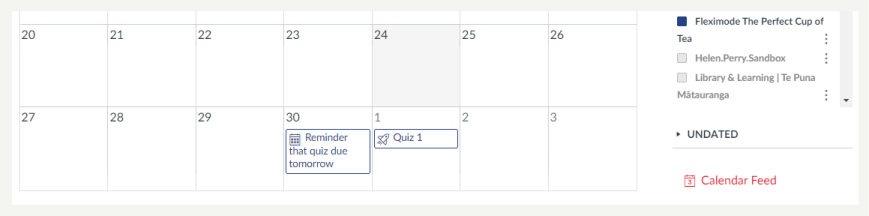
Create an event in the Calendar that serves as a reminder. The advantage of doing this is that a reminder appears in the students’ calendar. The disadvantage of doing this is that it will appear in the student’s calendar as an event, rather than they receive just a notification.
Hints and Tips
- Set reminders (either method) at least a week in advance of assessment due dates. This give chance for students to remember to do things they’ve forgotten
- Encourage student to use the Calendar.
- Choose one of the above methods (or any other method, e.g. a message to their Canvas inbox) and stick with that method. Consistency is key.