

Part seven of the MyKoha series provides guidance on giving feedback to students using You Said, We Did.
It’s important to let your students know that you’ve taken on board what they’ve said. At MIT we do this using a mechanism called You Said, We Did.
How does this work?
Students give you the lecturer feedback using surveys:
- Start of Course Survey
- End of Course Survey
- Kaiako Evaluation Survey
After you have read, digested and actioned the feedback, you need to let the students know what actions you’ve taken. This is so that they know that their feedback is valued and that they are more likely to complete the end of course surveys as a result.
On Canvas, after you have imported the MIT Canvas Standards, there’s a page called You Said We Did. This is where you write what the students said and what you did about it.
Let the students know the source of feedback (Start of Course Survey, End of Course/Kaiako Survey, or another mechanism entirely). You may receive feedback from students via Discussions in Canvas, emails, Academic Leads Students, Student Voice in Programme Committees or Student Campus Advisory Committees. All this is valid feedback to you.
You Said, We Did
Edit the You Said, We Did page in Canvas to list the things the students said. If they are from survey feedback, say so. If it’s from another source, say so, e.g. “This is what the last cohort said in their End of Course survey…” and, “I also received these five emails which said blah, blah…”.
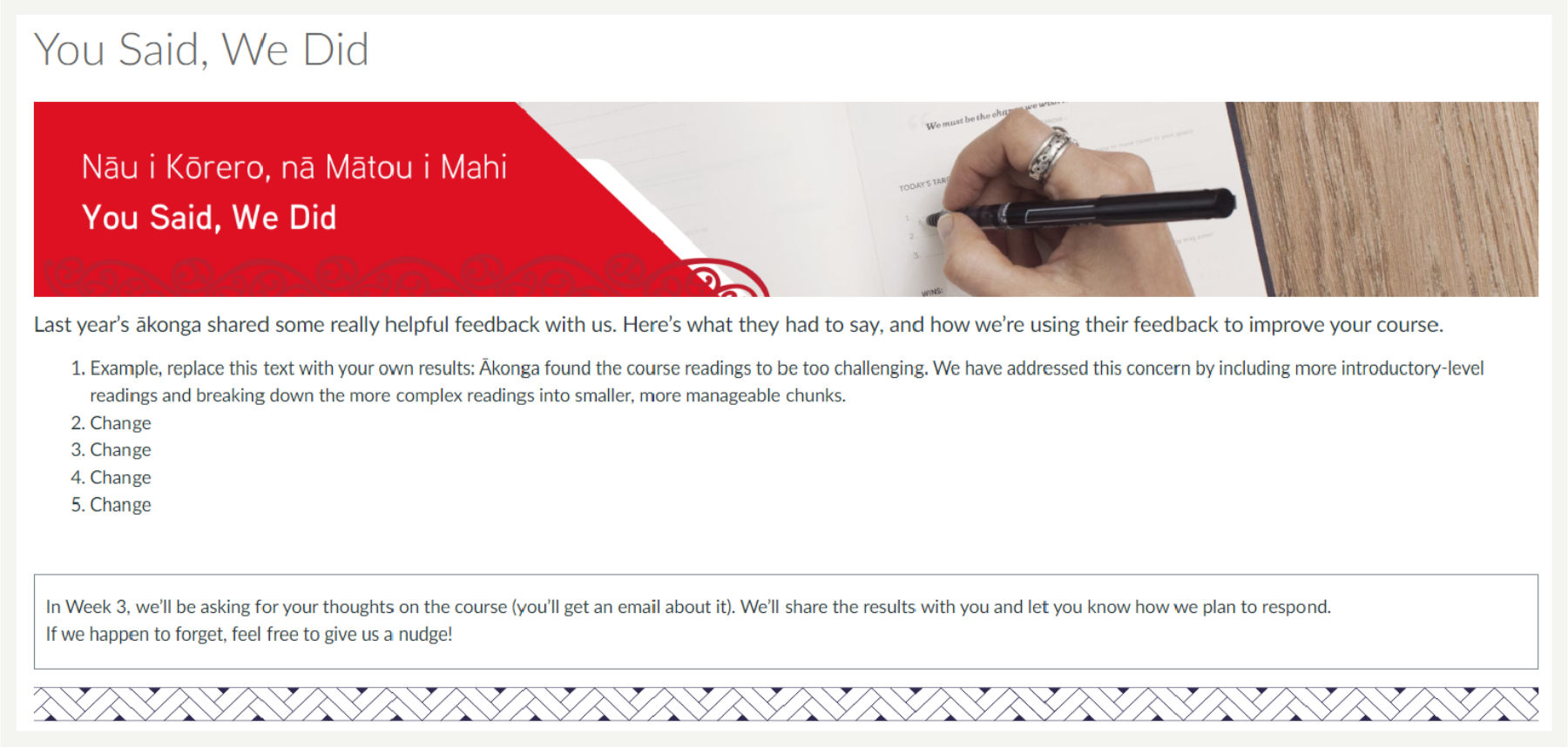
At the beginning of the course (before the start of the Start of Course Survey), talk to your students about what the last cohort said, i.e. complete the information on the You Said, We Did page as above, and show it to your students. Don’t let them have to find it, reserve ten minutes in a class to tell them about it.
Start of Course Surveys
In Week 2/3 students will complete the Start of Course Survey. You will be able to access the report as soon as the survey closes at the end of Week 3.
Edit the You Said, We Did page to add the feedback you have just received from the students and any actions. It’s up to you whether you replace the feedback from the previous cohort or whether you add new feedback to it (this will likely depend on who said what and what your actions were).
It’s perfectly fine to feedback and say this is what I’m going to do (future tense), you don’t always have to have fixed the issue to report back to students.
What do I do if the feedback isn’t actionable?
In an ideal world, students will write something really insightful in the open-ended question boxes in the survey. In reality we know that’s not always the case, sometimes a student might just write, ‘Great course!’ which isn’t always helpful from a constructive feedback point of view.
This isn’t a reason not to complete You Said We Did. There are still things you can write. Here’s an example of what you could say.
‘The last cohort of students didn’t give much written feedback, but they gave some really positive scores about various aspects of the course, so I’m grateful for the students confirming they were pretty happy with the course. I’ll keep trying my best and if there’s anything you want to feedback, let me know when you complete your next survey.’
Hints and Tips
- Lecturers who are Teachers on courses in Canvas receive Start of Course, End of Course and Kaiako Survey reports.
- Heads of School also receive these survey reports.
- Make sure you tell the students what you’ve done using You Said, We Did.
- End of Course Surveys need to be reported to Programme Committee and stored in SharePoint as per MIT’s File Storage Protocol.
- End of course surveys/Kaiako are collated (aggregated responses) and reported to Schools.
- The statement “Overall this course is good” is used to determine overall student satisfaction.
- Results are reported in a way to ensure the anonymity of individual academic staff.
- Contact Evaluations@manukau.ac.nz if you have any questions.
For more in the MyKoha series
1 My Koha: MIT’s Survey System
2 MyKoha: First Impression Surveys
3 MyKoha: Start of Course Survey
4 MyKoha: End of Course Survey
5 MyKoha: Lecturer Evaluations
6 MyKoha: How to conduct a survey