• Skip to main content
  • Skip to after header navigation
  • Skip to site footer
Knowledge Base

Knowledge Base

Practical help for digital teaching

Resources

  • Knowledge Base
  • Kick Start
  • Free Resources
  • AI in Education
  • Log In

Teaching Technology

How Do I Create A Canvas ePortfolio 

You can create a new ePortfolio in your user settings. You must be enrolled in a course to create an ePortfolio.  Copilot will generate a summary of the video content – you can use this in your canvas content to introduce the video OR to summarise the video. You can also click the box labelled suggest …

Create A Teams Meeting Link Within The Canvas Page & Automatically Add Students 

An introduction on how to create a Teams meeting link within a Canvas page and automatically add students  You can create a Microsoft Teams meeting link (online class link) within your Canvas page and automatically add your students to it. You can place it on any page, or as part of an Announcement, Calendar or …

Sending A Message To Students Based On Assignment Submission/Marking Status  

An introduction on the Canvas assignment submission, via a message to students based on assignment submission/marking status  Often you may need to send a message to a specific group of students about their assignment submission or marking status or due date changes, etc. Canvas has provided a quick and easy way to let you do …

Adding Your Timetable to Canvas

A quick video tutorial on how to add your timetable to Canvas

How Do I Select Specific Moodle Content as Part of a Course Import? 

When importing course content with the Course Import Tool, you can choose to select specific content as part of the import. This option allows you to select specific content areas such as assignments, settings, and files without importing the entire course.  Notes:  Import Content into Course  Select Content Type  Select Specific Content  View Content Import Warning …

How Do I Import Content From Moodle Into Canvas? 

Below is a step-by-step guide into converting Moddle courses to Canvas.   You can import prior content from Moodle exports into Canvas.  Note: Moodle Lessons are not supported by Canvas import.  Select Migration Content  View Current Jobs  View the content from any completed imports by accessing any link in Course Navigation. 

How To Filter Your Canvas Gradebook 

An introduction on filtering the Canvas Gradebook  When the course continues, more and more assignments and quizzes are added. Your grade table on the Canvas Gradebook page becomes wider and wider. To clear your Gradebook table to show only the assignments and quizzes that you are interested in, you can use the new feature of …

The limitations of ChatGPT 

There are things AI can’t do yet, however, ‘yet’ is important because AI’s improvement is exponential.  10 ways ChatGPT may not be as helpful as you may have thought 

Improving Education with Artificial Intelligence

Examples of how artificial intelligence is improving education  AI is making big waves in industries like business and medicine, but the education sector hasn’t fully tapped into its potential yet.  Personalised Learning:  AI can analyse data to tailor lessons to each ākonga needs, saving time and making learning more effective. It can also give kaiako …

AI Chatbot Comparison 

The following article is an overview and comparison of the 3 main or significant AI Natural Language Processing tools (NLP) in popular use at the present time ChatGPT, Copilot, and Gemini.   Here is a comparative list of the features and benefits of each chatbot:  Core Functionality  Language Model  Access & Integration  Capabilities  Privacy and Security  Educational implications  …

Using Stream to Record Videos 

Using Microsoft Stream, you can record your screen, create webcam videos, and add effects directly in Microsoft 365 with your MIT account. The Stream screen recorder is great for explainer videos, demonstrations, or quick webcam videos. You can add emojis, images, music, text, replace your background, and record multiple clips.  To record video using Stream  …

Gemini 

Gemini AI; chat with a Google AI powered virtual assistant through a Chrome extension. Talk naturally, get help with coding, writing, and problem-solving.  Gemini is available in three versions:   What features does Gemini offer?  Like ChatGPT, Gemini handles questions, coding, and complex math. It goes further though, letting you search by image and see answer-related pictures …

Copilot 

Microsoft Copilot is a powerful AI tool that enhances productivity, creativity, and collaboration across various contexts, whilst still maintaining robust security and privacy features.  Capabilities:  What language model does Copilot use?  Copilot is designed to work from the latest version of OpenAI’s GPT-4, which is the same model that ChatGPT Plus users get access to. …

ChatGPT : Your Everyday AI Companion 

ChatGPT represents a remarkable advancement in the realm of artificial intelligence (AI). As tertiary lecturers, it’s essential to grasp the significance of this technology and its practical implications. Capabilities in a Nutshell:  Educational Implications  For Tertiary Lecturers:  In summary, ChatGPT bridges the gap between academia and AI, making complex technologies accessible and engaging. As tertiary …

Restoring Deleted Items in Canvas 

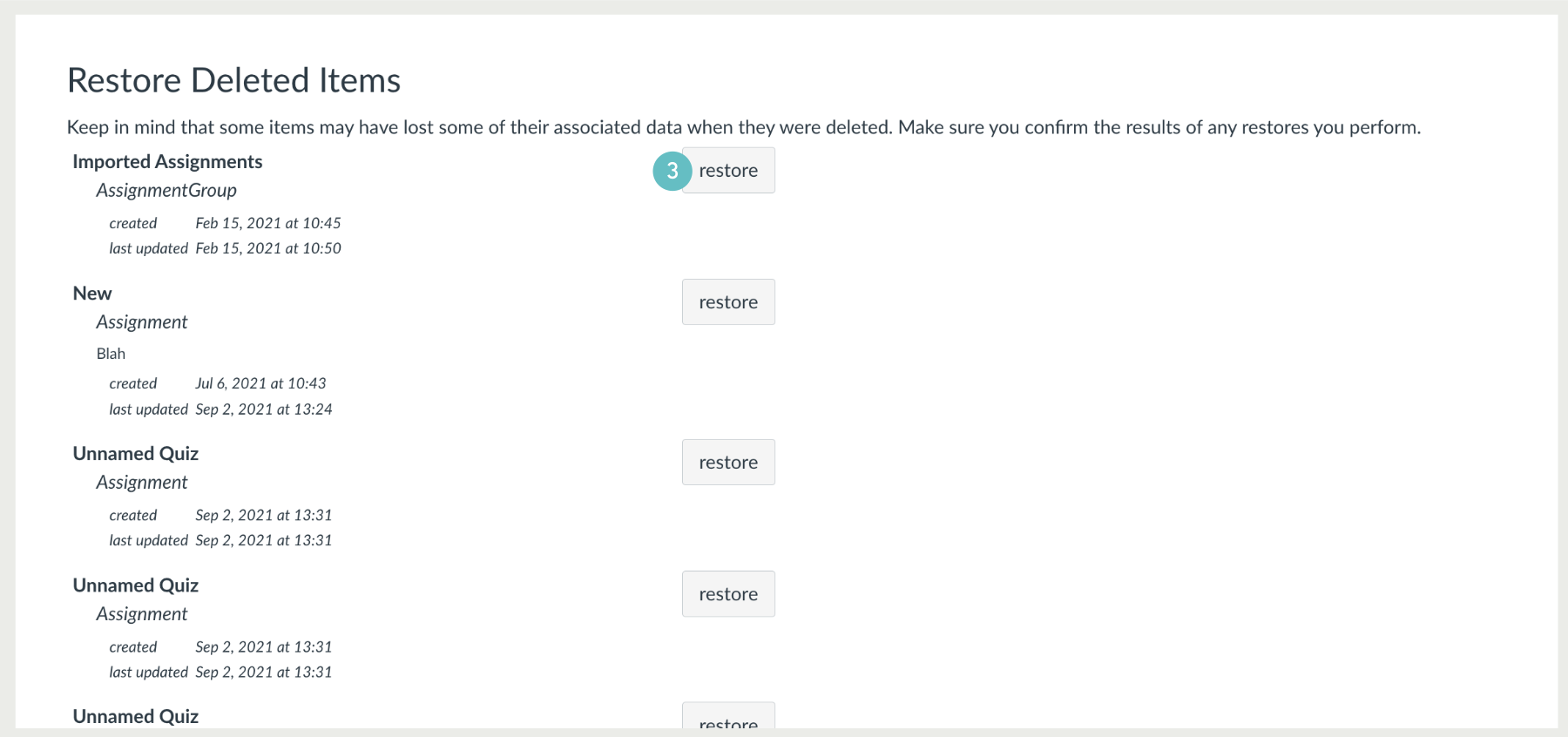
Your canvas designated courses do not have a dedicated “recycle” or “trash” tool where you can recover or restore items that have been deleted. However, there is a function that can be used to restore some items that have been deleted, whether intentional or accidental.  This function to restore deleted items is not a perfect repository of …

  • Previous
  • Page 1
  • Interim pages omitted …
  • Page 3
  • Page 4
  • Page 5
  • Page 6
  • Page 7
  • Interim pages omitted …
  • Page 9
  • Next

Sidebar

Knowledge Articles

Resource Categories

Signup to Mildly Interesting

Stay updated on the latest developments from our Academic Partners team, as well as insights from our Quality Team on updates and policies shaping the educational landscape. Don't miss out—sign up today to stay informed!

* indicates required
/* real people should not fill this in and expect good things - do not remove this or risk form bot signups */


Need More Help?

Copyright © 2026 · Manukau Institute of Technology · Crafted by Responsive

Your cart (items: 0)

Products in cart

Product Details Total
Subtotal $0
View my cart
Go to checkout

Your cart is currently empty!

Start shopping

Notifications