
• Skip to main content
  • Skip to after header navigation
  • Skip to site footer
Knowledge Base

Knowledge Base

Practical help for digital teaching

Resources

  • Knowledge Base
  • Kick Start
  • Free Resources
  • AI in Education
  • Log In

Canvas

How Do I Import Content From Moodle Into Canvas? 

Below is a step-by-step guide into converting Moddle courses to Canvas.   You can import prior content from Moodle exports into Canvas.  Note: Moodle Lessons are not supported by Canvas import.  Select Migration Content  View Current Jobs  View the content from any completed imports by accessing any link in Course Navigation. 

Identifying & Fixing Broken Links in Canvas 

Broken Links on your Canvas Courses can be annoying! You can check for broken links using the Course Link Validator, this can be found in the Settings menu. This feature enables searches through course content and returns invalid or unresponsive course content links in both published and unpublished content. Links can be checked and reinstated …

How To Filter Your Canvas Gradebook 

An introduction on filtering the Canvas Gradebook  When the course continues, more and more assignments and quizzes are added. Your grade table on the Canvas Gradebook page becomes wider and wider. To clear your Gradebook table to show only the assignments and quizzes that you are interested in, you can use the new feature of …

Adding Emoji’s To Canvas Page Content 

People often ask, can I add Emoji’s to my page content in Canvas? The answer is yes, of course you can. All you need to do is to select the place on your canvas page where the emoji will be placed, this could be a heading or within a body of text and let your …
Moving The Total Marks Column To The Front Of The Marks Window 

The following is a simple guide to help move the Total Marks Column to the front of the Marks window making your Canvas experience more user friendly.  Moving the Total Marks Column.  After one or two semesters the Line can get very long for some programmes, this means the Total can be far away from …

Restoring Deleted Items in Canvas 

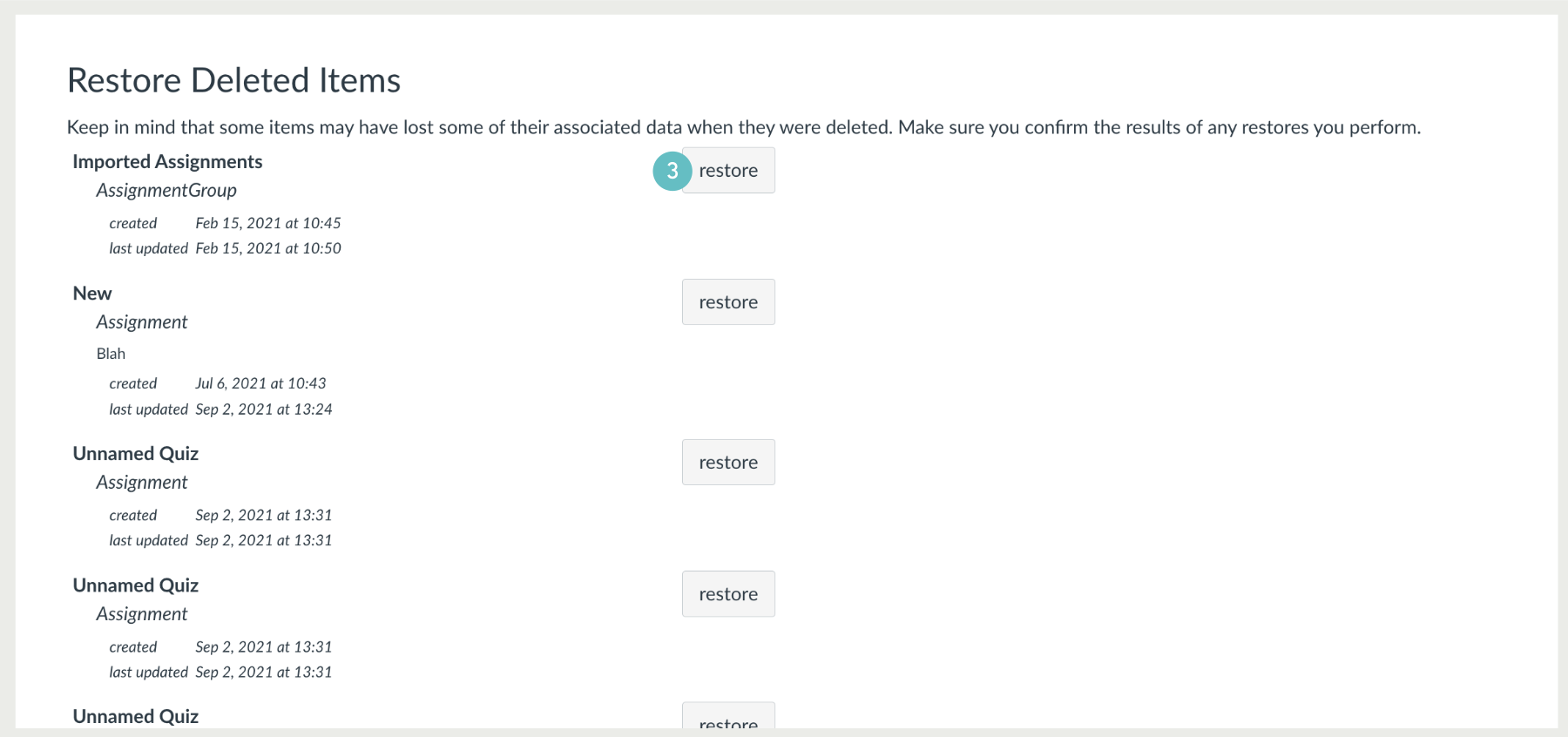
Your canvas designated courses do not have a dedicated “recycle” or “trash” tool where you can recover or restore items that have been deleted. However, there is a function that can be used to restore some items that have been deleted, whether intentional or accidental.  This function to restore deleted items is not a perfect repository of …

How To Move Or Reorder An Assignment Group

You can move or reorder assignment groups after you’ve created them. You can manually drag and drop the assignment group, or you can use the Move To option, which is also accessible for keyboard users. You can also move or reorder individual assignments.  Drag & Drop Assignment Group  You can use the drag and drop …

Canvas Assignment Publishing Status  

An introduction on the Canvas assignment publishing status  When creating a Canvas assignment or a quiz, it is not visible to the students until you have published it. There are several publishing states, with relevant icons for an assignment or a quiz at different stages. This allows you to control when assignments are made available …

Restoring a Previous Version of a Page on Canvas

When you edit course pages, you can view the page history and see the date, time, and author of any changes made to the page. Page editors can also roll back the page content to a previous version of the page.  Navigate to the Page you wish to revert changes to:

Discussion Push Notifications 

In Notifications, users can now enable Push Notifications for Discussion New Topics and New Replies. This feature was previously removed but is now back with an updated feature.   How to turn on Push Notifications The reinstated feature (update) allows users to set up notifications for new topics or new replies in a Discussion. This article refers …

When is it Appropriate to Use Group Assessments? 

Group assessments also known as group assessments should include activities that is best done in groups: brainstorming, problem solving, making a specific choice, planning and designing, forming strategies, or debating an issue. It may be best to avoid activities that can be accomplished individually or subdivided and parcelled out to individuals.  When to Use Group Work?  …

Exporting Your Mahara Created Content 

You can export your portfolio to keep your files and Mahara-created content offline. You can create an export at any time and as often as you wish.  Download as an HTML file (when the zip file is extracted) on your PC, to get a read-only version that maybe viewed through your web browser. MIT Mahara …

Bulk Publish & Unpublish Module Items 

In Modules, instructors can bulk publish all modules or individual modules. Instructors have the option to publish all modules and items, publish all modules only, or unpublish all modules and items. Additionally, the publish icon on individual modules is updated to include a Module status menu. This menu includes the options to publish module and all …

Anonymous Grading in New Quizzes 

In New Quizzes, instructors can enable Anonymous Grading, this helps reduce the perception of bias in the classroom by allowing instructors to grade manually-graded questions anonymously.   When creating or editing a New Quiz and the Anonymous Grading feature option is enabled, instructors can select the Anonymous Grading checkbox.  Note: Once enabled, Anonymous Grading cannot be disabled …

How to find Data for PER Reports

This video will show you how to find and download data to use as evidence and information for your PERs for the year.

  • Previous
  • Page 1
  • Interim pages omitted …
  • Page 6
  • Page 7
  • Page 8
  • Page 9
  • Page 10
  • Interim pages omitted …
  • Page 15
  • Next

Sidebar

Knowledge Articles

Resource Categories

Signup to Mildly Interesting

Stay updated on the latest developments from our Academic Partners team, as well as insights from our Quality Team on updates and policies shaping the educational landscape. Don't miss out—sign up today to stay informed!

* indicates required
/* real people should not fill this in and expect good things - do not remove this or risk form bot signups */


Need More Help?

Copyright © 2026 · Manukau Institute of Technology · Crafted by Responsive

Your cart (items: 0)

Products in cart

Product Details Total
Subtotal $0
View my cart
Go to checkout

Your cart is currently empty!

Start shopping

Notifications